What it is: Cloud-based visual Work OS for managing projects, clients, CRM, HR, and any team workflow on colour-coded boards. Founded 2012, Tel Aviv. Used by 225,000+ organisations including 65% of Fortune 500 (Statista, 2025).
Best for: Small business teams of 3–20 people running visual client work, agency owners coordinating multi-project workflows, consultants juggling multiple engagements, and content-led businesses managing editorial calendars.
Standout feature: The board system — 9 view types (Kanban, Timeline, Calendar, Gantt, Workload) on the same data, with status columns colour-coded so the whole team sees what is in progress, stuck, or done at a glance.
Biggest limitation: The 3-seat minimum on every paid plan. Solo operators and 2-person teams pay for seats they will never use. Basic plan ($9/seat) has ZERO automations — the most misleading omission on the pricing page.
Specs
Platform: Web app, iOS, Android, Mac and Windows desktop apps.
Minimum paid seats: 3 seats — there is NO 1-seat or 2-seat paid plan. This is the most overlooked point in any monday.com for small business decision.
Free plan: Yes — 2 seats max, 3 boards, no automations, no integrations. Testing only.
Native CRM: Yes — sales pipeline, deal stages, lead scoring built in
Visual board system makes complex multi-project work understandable at a glance — non-technical team members can read a board with zero training.
250 automations/month on Standard saves 2–4 hours/week of manual status updates on a 4-person team. At a $30/hour billable rate, pays back the plan inside one week of consistent use.
Native integrations with Slack, Google Drive, Gmail, Zoom, Salesforce, HubSpot, Jira, Zapier, Make. Most small business stacks plug in within 30 minutes.
9 view types on the same data — Kanban for the team, Gantt for the client, Calendar for the founder, Workload for capacity. One source of truth, nine formats.
Cons
3-seat minimum on every paid plan. Solo operators and 2-person teams pay for seats they cannot use. The single most-complained-about pricing decision in the segment.
Basic plan ($9/seat) has ZERO automations and ZERO integrations. Functionally a styled spreadsheet — not a real entry plan, despite being marketed as one.
Workdocs is functional but Notion-level it is not. Doc-heavy teams will outgrow it inside 90 days and end up running both.
Reporting is visual-first, not analyst-grade. Detailed data exports require workarounds or paid integrations like SyncHub or Coupler.io.
Monday.com for small business costs $36 a month minimum, not the $12 per seat shown on the pricing page, because every paid plan requires at least three seats. Standard ($36–$120/month) suits 3–20 person teams doing visual client work; solo operators and two-person teams pay the same $36 floor and should use ClickUp instead. The 14-day trial needs no credit card.
It is Tuesday at 4:13 PM, the client is on the phone, and you are flipping between three browser tabs trying to remember which project the Friday deadline actually belongs to. The monday.com for small business question stops being theoretical the moment a client deadline slips through your tabs.
You started running everything in a Google Sheet two years ago — back when one client and a side project was the entire workload. Now there are three live client engagements, two internal projects, a designer, a writer, a VA, and you. Last Tuesday you missed a deadline because the only person who knew the deliverable was sitting in someone else’s Slack DM. The week before, your designer started the wrong version of a logo because the brief lived in a Drive folder no one had opened in eleven days.
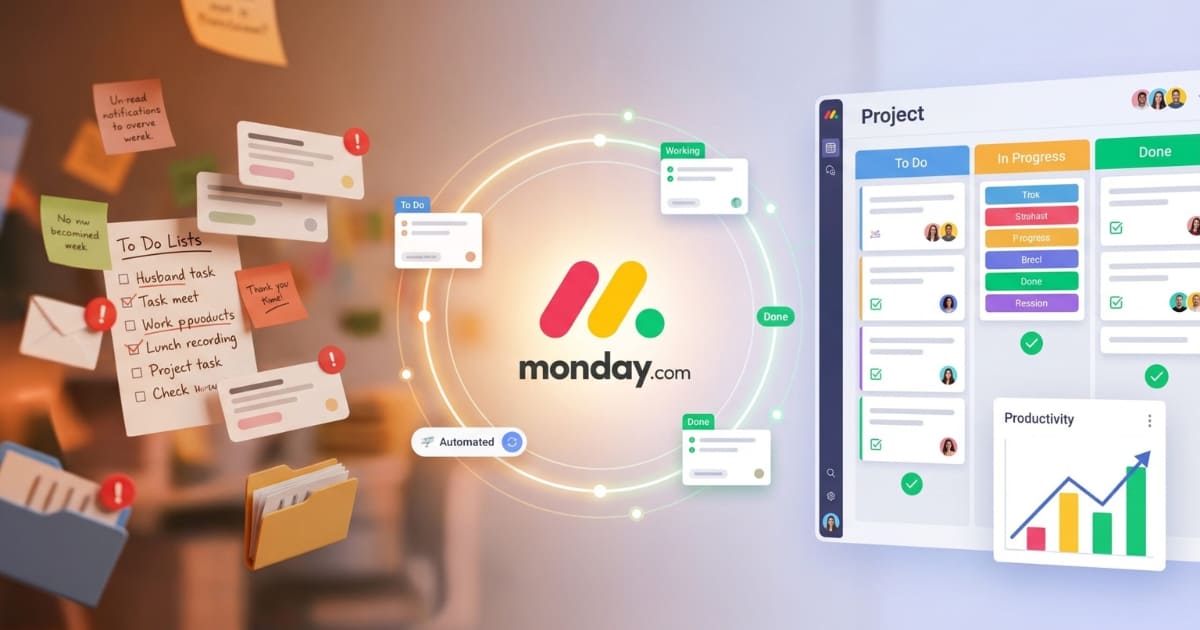
Your spreadsheet is now seventeen tabs deep. Every morning starts with a forensic search for what changed overnight. The little orange dot on Slack. The unread count climbing in Gmail. The Drive folders nested four levels down. You have been telling yourself for three months that you would migrate the team to a real platform — and every Monday it gets pushed to next week.
The actual problem is not that you are disorganised. It is that you are using four disconnected tools — a spreadsheet, Slack, Drive, and email — to do a job one platform should handle. And the question you are sitting with at 4:13 PM is not whether monday.com is a good tool. Every review on Google will tell you it is. The real question is whether monday.com for small business at your specific team size and your specific budget is actually worth $27, $36, or $57 a month minimum — and whether you can stomach the 3-seat trap they bury at checkout.
This monday.com for small business review answers that question with the maths, the team-size breakdown, the exact plan that is the real entry point (hint: it is not the one monday.com leads with), and the honest case for staying on a free tool if your team is below three people. No filler. No feature-list cheerleading. No pretending Basic is a real plan when it has zero automations — and no pretending Pro is necessary when Standard does the job for most small businesses.
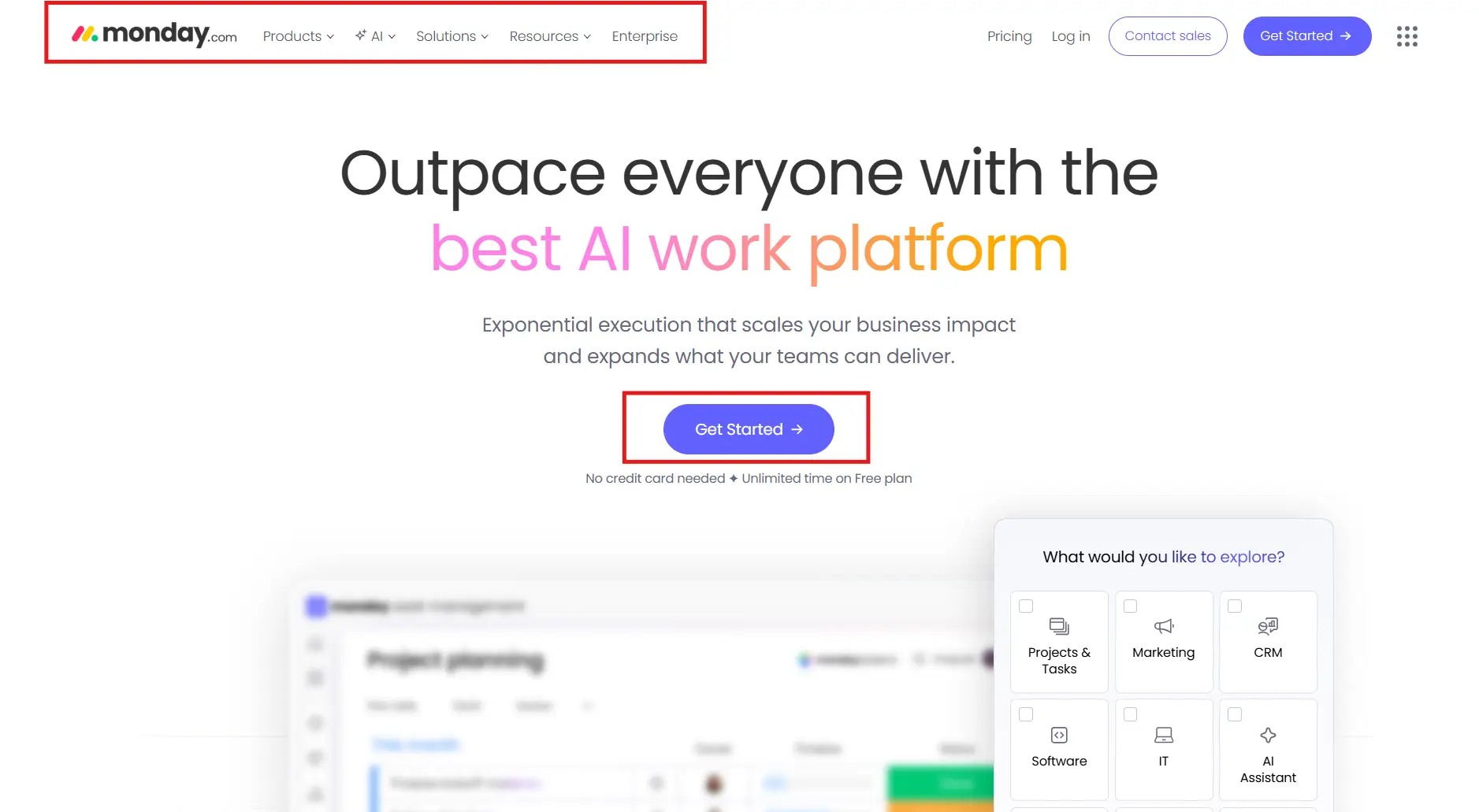
The monday.com pricing page is open in a tab if you want to follow along. By the end of the next ten minutes, you will know which plan, if any, your team should pay for. 👉 Or skip ahead and start the 14-day free monday.com trial right now — no credit card required
Monday.com is a cloud-based visual Work OS — a platform where teams build their own workflow apps for managing projects, clients, CRM, HR, content production, and basically any repeatable business process. Founded in 2012 in Tel Aviv, now used by 225,000+ organisations and listed on NASDAQ since 2021. Web app, iOS, Android, Mac, Windows.
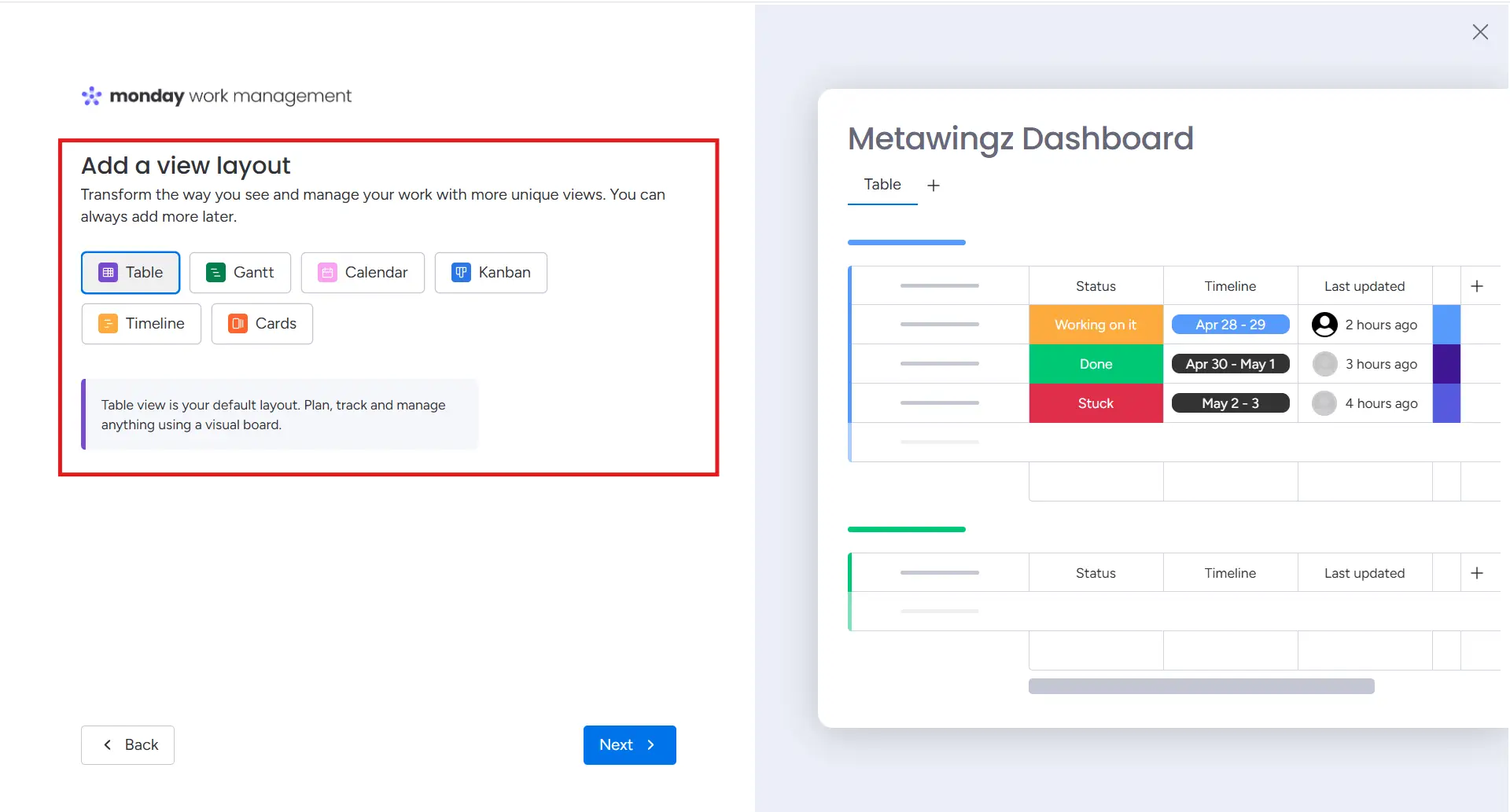
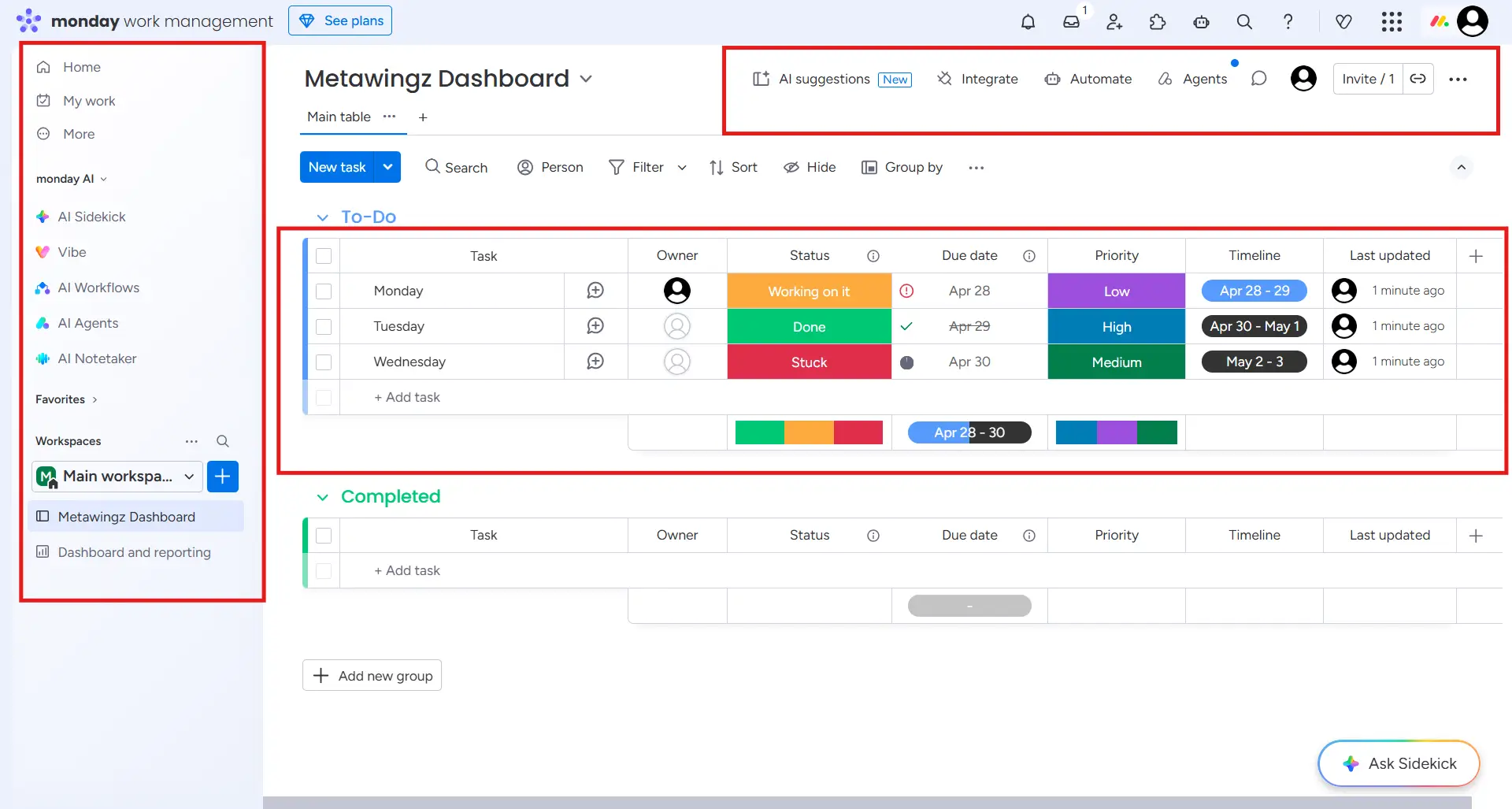
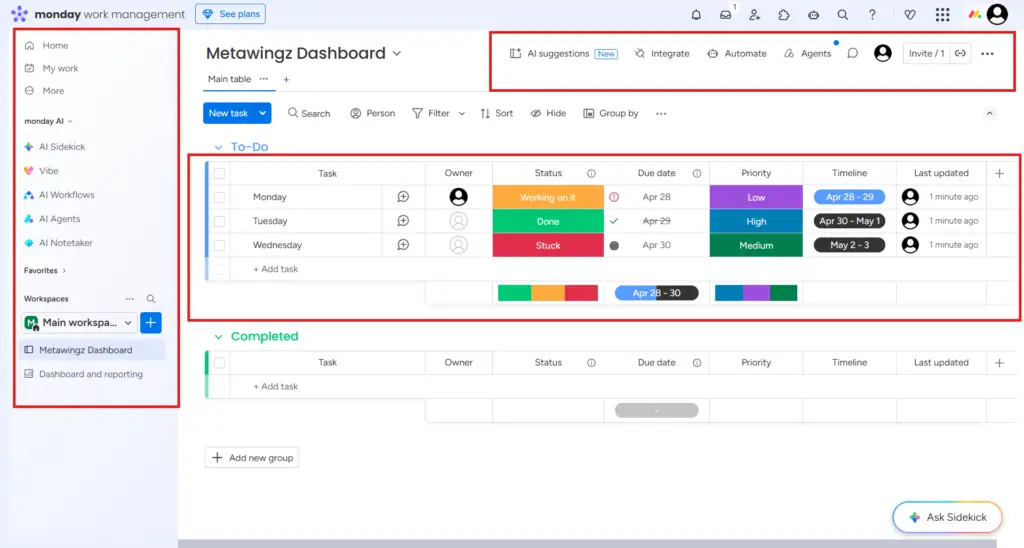
The core unit is the board — a colour-coded grid of items (tasks, projects, clients, anything) with custom columns (status, owner, due date, priority, notes, files). The same data renders as a Board, a Table, a Timeline, a Calendar, a Map, a Chart, a Workload heatmap, or a public Form. One dataset, nine views.
The honest position this monday.com for small business review takes: the platform is genuinely excellent for 3–20 person teams running visual client work — agencies, consultancies, content shops, marketing teams. It is genuinely wrong for solo operators, doc-heavy teams (use Notion), and price-sensitive teams that already have a free tool working (use Trello or Asana Free).
Who Monday.com For Small Business Is Actually For
This monday.com for small business review classifies five reader profiles into the buy decision. Read the row that matches your team. If your team profile is not on this list, the verdict is: stay on a free tool or look elsewhere.
Small business owners managing 3–20 person teams across multiple client projects or internal workflows — Standard plan at $36/month minimum. Automations alone return 2–4 hours/week.
Agency owners running client projects, creative briefs, approvals, and deliverables — the visual board + cross-board dashboards remove the ‘where are we on X account?’ question entirely.
Consultants coordinating multiple client engagements simultaneously — one board per client, status columns track progress across all engagements at a glance.
Content creators managing editorial calendars, video production schedules, or campaign workflows — the Calendar + Timeline views replace a separate scheduler subscription.
Coaches and course creators managing student cohorts, onboarding, and progress tracking — pairs naturally with Systeme.io if you also run an email or course platform.
Reader profiles this monday.com for small business review explicitly does NOT recommend the platform to: solo operators (the 3-seat minimum makes it strictly worse than free alternatives), doc-heavy teams that live in long-form documents (Notion fits better), small teams already running well on Trello Free or Asana Free (the friction of migration is not worth it), and any team looking for an analytics-first reporting tool (Monday is visual-first, not data-first).
👉 Want to see Monday.com on your own team’s workflow? Activate the free 14-day trial here
How This Monday.com For Small Business Review Was Put Together
Every claim in this monday.com for small business review is anchored to one of three sources: feature testing inside a live monday.com 14-day free trial, the official pricing and product pages, or independent third-party verification through review platforms and community forum data.
Pricing was verified directly on monday.com/pricing in April 2026, with the 3-seat minimum cross-checked against the monday.com plans & pricing support article. Feature behaviour was tested live on the trial. Where a claim reflects a judgement call rather than a hard number, it is labelled as such.
Monday.com Core Features: What You Actually Get For $36/Month Minimum
Five features decide whether monday.com for small business is worth the seat cost. Each H3 below covers one feature with a specific claim, the use case it solves, and an honest limitation.
1. The Board System — Why Monday.com Feels Immediately Usable
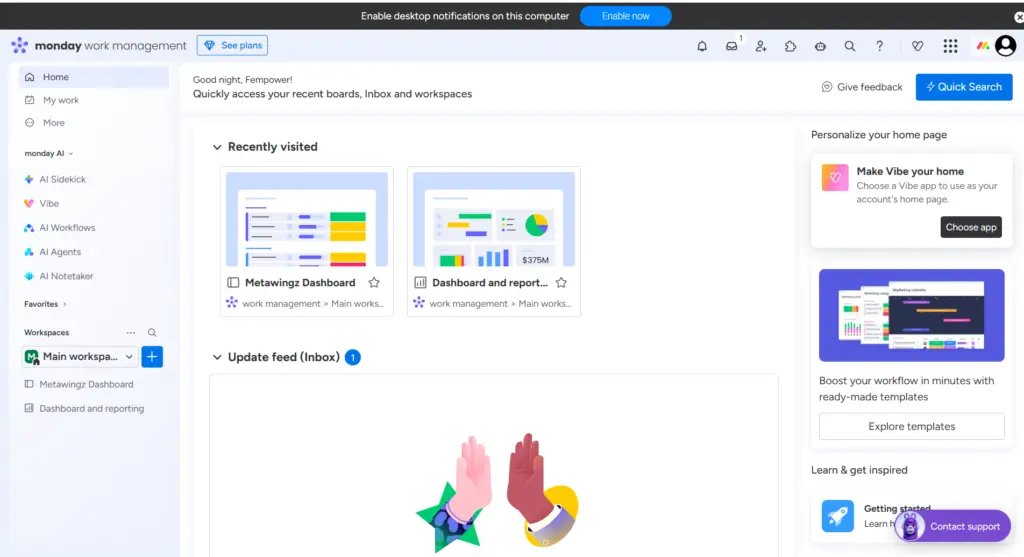
Of every monday.com for small business feature, the board system is the one that decides adoption. A monday.com board is a colour-coded grid where every item (task, client, project, deal) has custom columns and a status. Status columns are the magic — at a glance every team member sees what is in progress, stuck, blocked, or done.
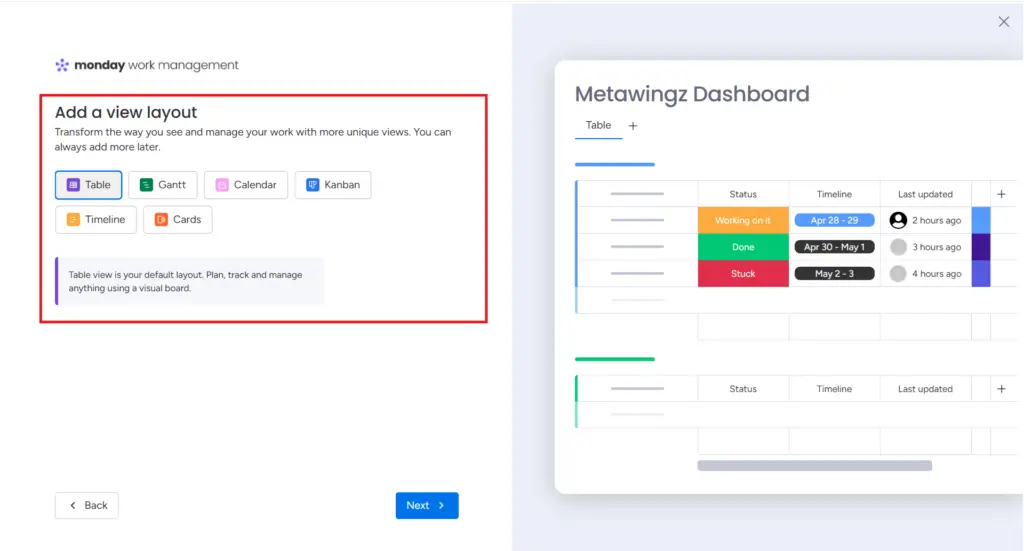
Nine view types render the same data: Board (Kanban-style), Table (spreadsheet view), Timeline (Gantt chart for deadlines), Calendar, Map (for location-based work), Chart (auto-generated visualisations), Workload (capacity heatmap on Pro+), Form (public-facing intake), and Kanban. One dataset, nine ways to read it. The Timeline view alone replaces the need for a separate Gantt tool for most small business teams.
Honest limitation: The board system breaks down when a team has more than ~50 active boards. Cross-board dashboards help, but the navigation gets cluttered fast at scale. Below 30 active boards — a sweet spot for most small business teams — the system is genuinely category-defining.
2. The Automation Engine — What 250 Actions A Month Gets You (And Where It Runs Out)
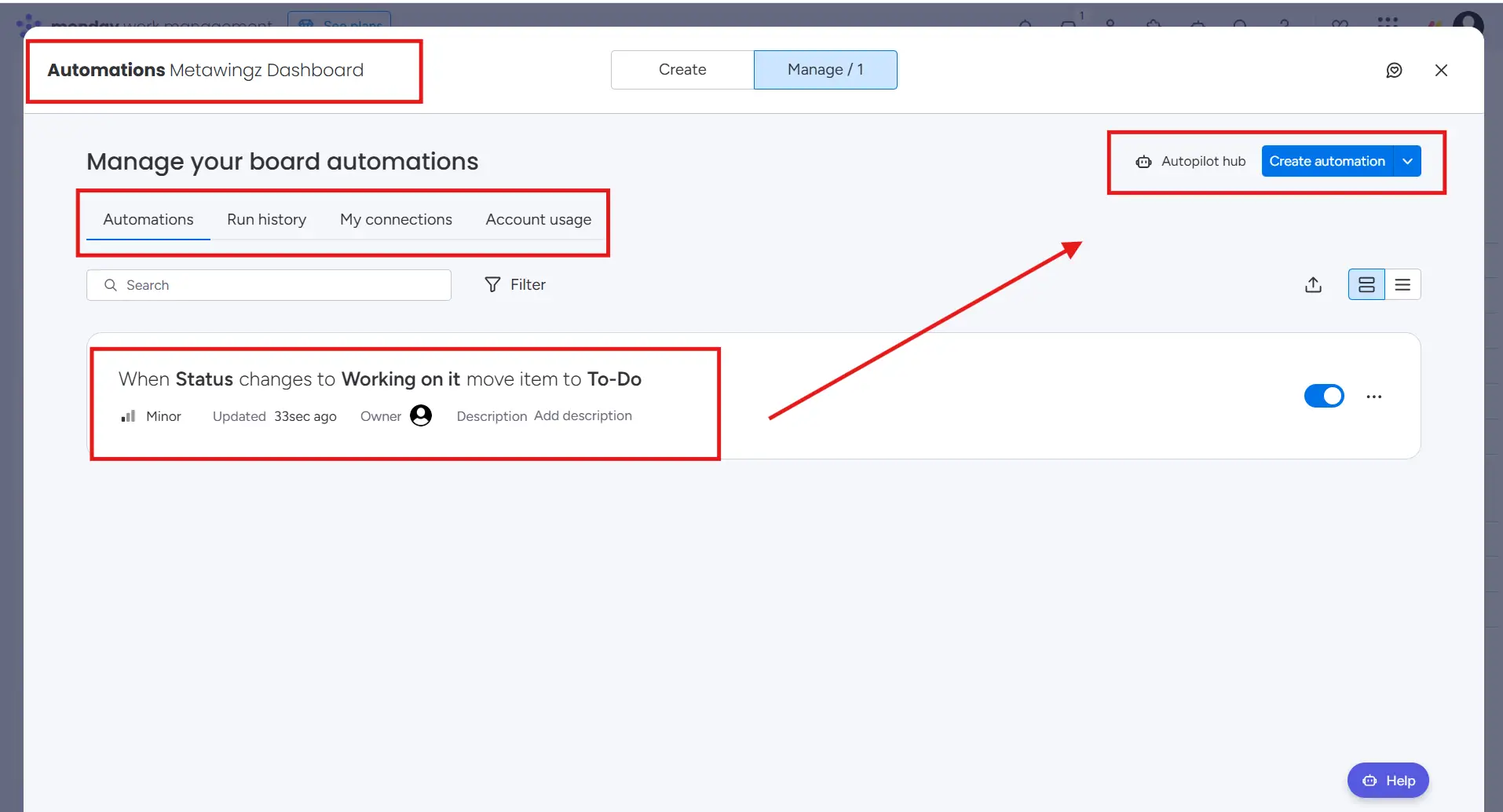
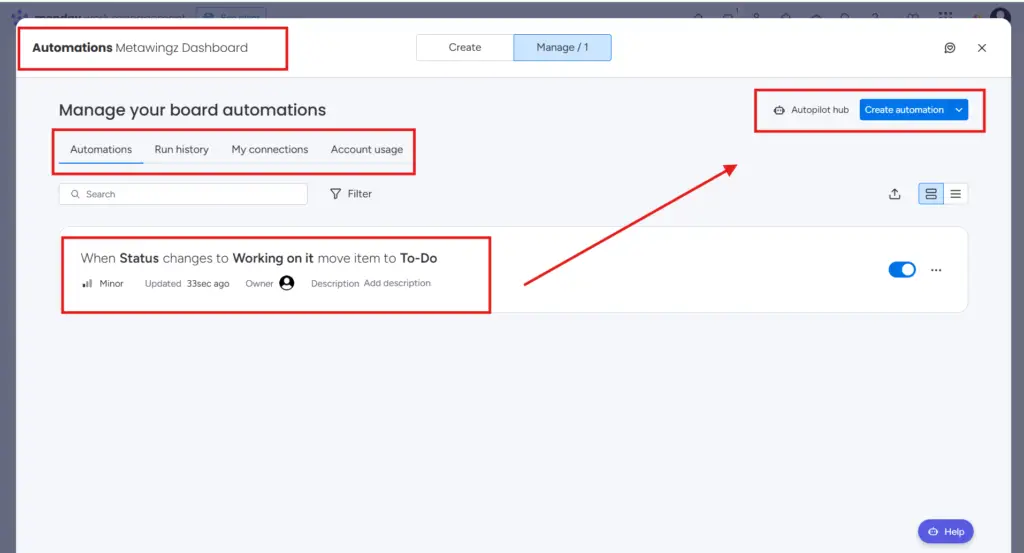
Automations are the single feature that justifies the Standard plan over Basic in any monday.com for small business decision. The no-code automation builder works in plain English: ‘When [trigger] → then [action]’.
Real automations a small business team uses every day: when status changes to Done → notify the client via email; when due date passes → move the item to overdue; when a new lead is added → assign to the next available salesperson; when a form is submitted → create a new project board with a template. Standard gives you 250 of these per month — enough for most 3–6 person teams running 3–5 projects.
The monday.com automation limit caveat (this is critical): When you hit the monday.com automation limit on Standard, your automations stop firing until the next billing month. For a team running active status notifications and date-based moves, the monday.com automation limit can hit by day 18 of the month. The fix is upgrading to Pro at $19/seat ($57/month minimum on 3 seats), which gives 25,000 automations — effectively unlimited for any small business.
Critical write-in — what most reviews skip: Basic plan has ZERO automations. This is the most misleading omission on monday.com’s own pricing page. If you are paying $9/seat for Basic, you are paying for a styled spreadsheet. Standard at $12/seat is the real entry point — the $3/seat extra unlocks 250 automations and 250 integration actions.
3. Integrations — The Tools Small Businesses Already Use, Connected In One Click
Monday.com integrates natively with Slack, Google Drive, Gmail, Zoom, Outlook, Salesforce, HubSpot, Jira, GitHub, Stripe, Mailchimp, Dropbox, Trello, and Asana — among 200+ pre-built integrations. Standard gives you 250 integration actions/month; Pro gives you 25,000.
The two-way Google Calendar sync alone is the integration that earns the Standard plan back for most small business teams. Monday board deadlines reflect in every team member’s calendar automatically. New calendar events flow back into Monday. No copy-pasting. No double-entry. The single most under-marketed feature in the small business segment.
Honest limitation: Integration actions count fast. A two-way Google Calendar sync across a 5-person team running 200 deadlines a month can chew through 250 actions in 8 days. If your team relies on real-time integration sync, plan to hit Pro at $19/seat eventually. Zapier and Make bridges any gap that native integrations do not cover.
4. Cross-Board Dashboards — Seeing Every Client Project In One View
Cross-board dashboards aggregate data from multiple boards into one view. For an agency running 8 client accounts on 8 separate boards, a cross-board dashboard answers ‘where are we across every client right now?’ without opening each board.
Widgets you actually use: progress tracking (% complete across boards), battery (capacity bar), time tracking (Pro+), countdown (days to deadline), numbers (revenue, leads), chart (auto-generated graphs), activity log. The Workload widget on Pro shows which team members are over-capacity before you assign new work — preventing the burnout-by-overcommit pattern that kills small business teams.
Honest limitation: Reporting is visual-first, not analyst-grade. Detailed data exports for monthly client reports require workarounds or third-party reporting tools like SyncHub or Coupler.io. If your business requires deep BI reporting, this is the feature where monday.com falls short.
5. Workdocs — Monday.com’s Answer To Notion (And Where It Falls Short)
Workdocs are collaborative documents embedded directly inside Monday boards. Real-time editing like Google Docs, but with monday board data — boards, charts, columns — embedded inline. The use case: project briefs that live next to the board, meeting notes that pull in the action items automatically, SOPs that update when the linked board updates.
For a small business team that wants documentation alongside project management without paying for Notion separately, Workdocs is enough. Brand guidelines, client onboarding documents, recurring SOPs — all functional inside Workdocs.
Honest limitation: Workdocs is functional, not Notion-level. Teams that live in long-form docs (knowledge base, internal wikis, deep documentation) will outgrow Workdocs inside 90 days. The realistic position: use Workdocs for project-adjacent docs, Notion (or its free tier) for everything else. The two play nicely together via integrations.
Monday.com Pricing 2026 — The Real Plan Cost For Small Business Teams
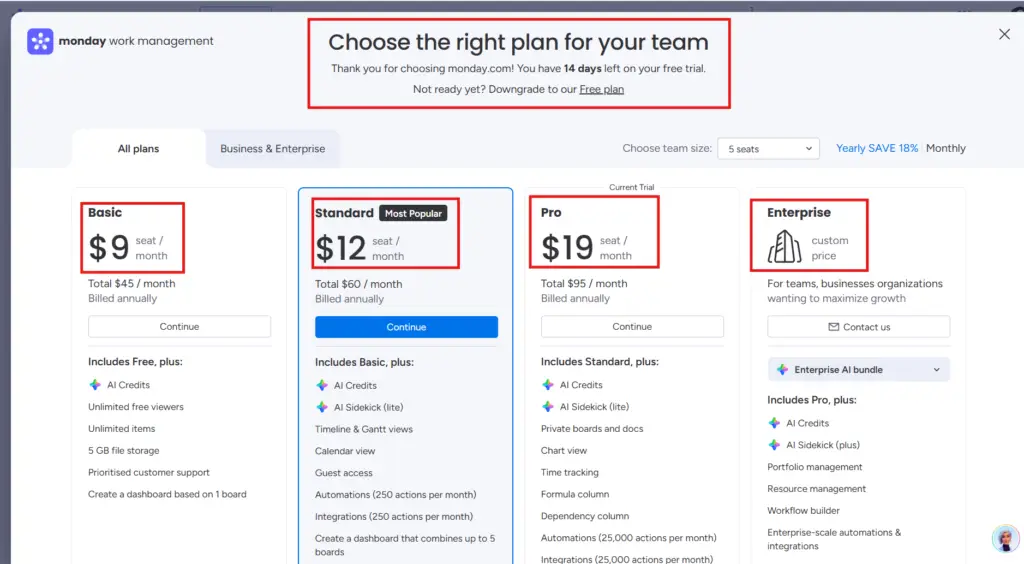
Pricing is the single biggest objection in any monday.com for small business decision — and the page on monday.com obscures it slightly. The full breakdown below includes the 3-seat minimum buried in the fine print and the monthly minimum cost every team actually pays.
Plan
Per Seat (annual)
Min 3 Seats
Automations/mo
Best For
Free
$0
$0 (cap 2 seats, 3 boards)
0
Solo testing only — useless for actual team work
Basic
$9/seat
$12/month minimum
0 ⚠ ZERO
AVOID — Basic is a styled spreadsheet, no automations
Standard
$12/seat
$14/month minimum
250
3–6 person teams running 3–5 projects · the real entry plan
Pro
$19/seat
$24/month minimum
25,000
Agencies, 5–20 person teams running multi-board workflows
Enterprise
Custom
Custom
250,000
Large organisations with security/SSO requirements
On the monday.com 3 seat minimum — the trap that catches every solo buyer: This is the single most overlooked cost in any monday.com for small business decision. Every paid plan — Basic, Standard, Pro — requires a minimum of 3 seats. There is no 1-seat or 2-seat paid option. A solo operator who ‘just wants Standard for $12/month’ actually pays $36/month minimum.
A 2-person team pays $36 minimum and uses 2 of 3 seats. The monday.com 3 seat minimum is documented in the support docs but does not surface clearly during the trial — most buyers only discover it at checkout. If you are a solo operator or 2-person team, this single cost detail is usually the answer to whether monday.com for small business is the right tool.
On the monday.com free plan limitations — what the free tier actually gets you: The monday.com free plan limitations are sharp: 2 seats maximum, 3 boards maximum, 1,000 items, no automations, no integrations, 200MB storage. The monday.com free plan limitations make it useful for testing the interface for a few hours — but no team can actually run on it. If you are evaluating whether monday.com for small business fits, use the 14-day Standard or Pro free trial instead — full feature access, no credit card required.
On Basic vs Standard — the most important $3/seat decision: The leap from Basic ($9/seat) to Standard ($12/seat) is $3/seat — $9 extra per month on a 3-seat team. That $9 unlocks 250 automations/month and 250 integration actions/month. Anyone seriously evaluating monday.com for small business should treat Basic as a non-option. Standard is the real entry plan.
Annual billing saves 18%: Standard is $12/seat annual or $14/seat monthly — saving $24/year per seat ($72 for a 3-seat team annually). 14-day free trial available on every paid plan with no credit card.
👉 Start the 14-day free monday.com trial — full feature access, no credit card required
Monday.com vs ClickUp vs Notion vs Asana: The Honest 4-Way Comparison
Monday.com is not the only option for small business teams. The three real competitors at this level are ClickUp, Notion, and Asana. This is the comparison every monday.com for small business review owes the reader.
Feature
Monday.com
ClickUp
Notion
Asana
Free plan limit
2 seats
1 user
1 user
3 user
Entry paid plan
Standard $12/seat (3-seat min)
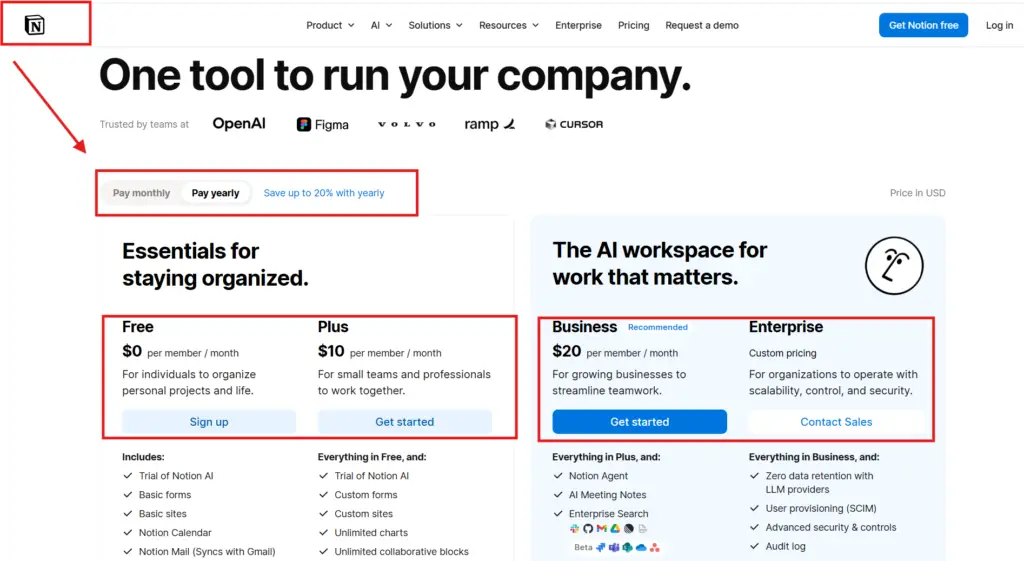
Unlimited $7/user
Plus $8/user
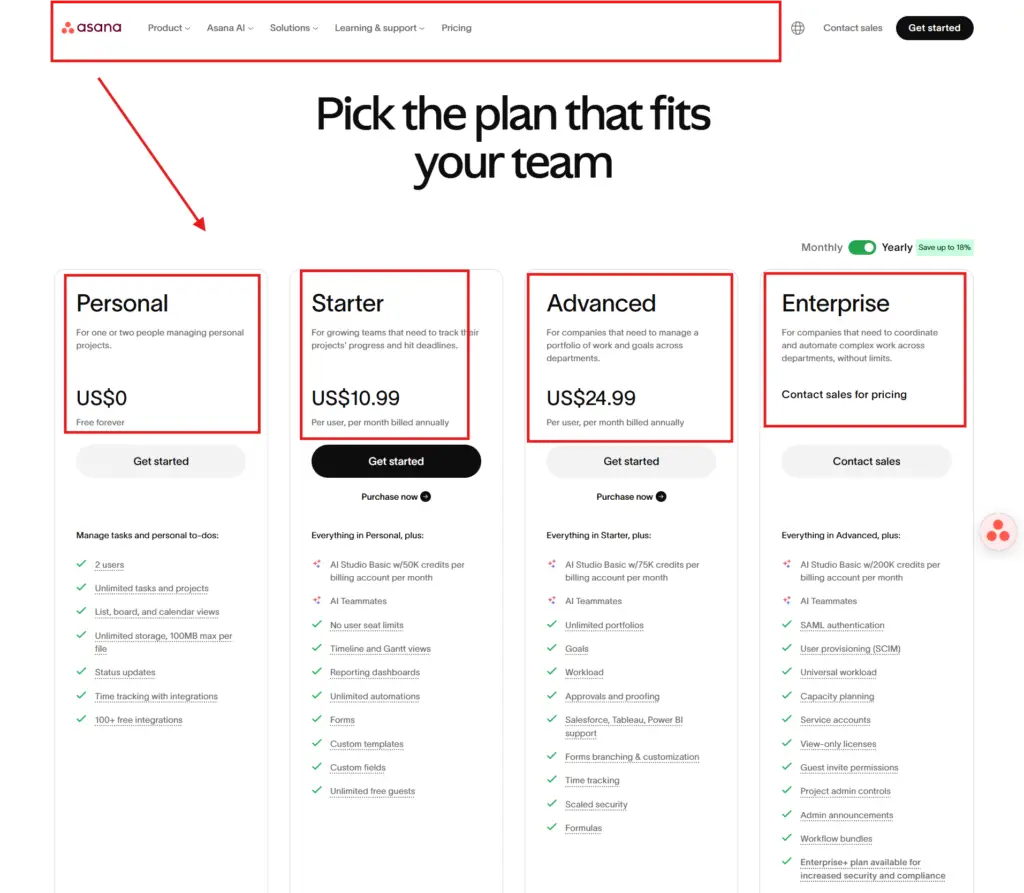
Starter $10.99/user
Min monthly cost
$36 (3 seats)
$7 (1 user)
$8 (1 user)
$32.97 (3 users)
Automations on entry plan
250/month
1,000/month
Limited
Unlimited
Visual boards
9 views
15+ views
5 views
List + Kanban + Timeline
Best for
Visual client work, 3–20 person teams
Solo operators, large catalogues
Documentation-heavy teams
Linear task tracking
Free trial
14 days, no card
Unlimited free
Unlimited free
30 days
Affiliate commission
25% recurring (PartnerStack)
20% recurring
Closed to new affiliates 2026
30% recurring
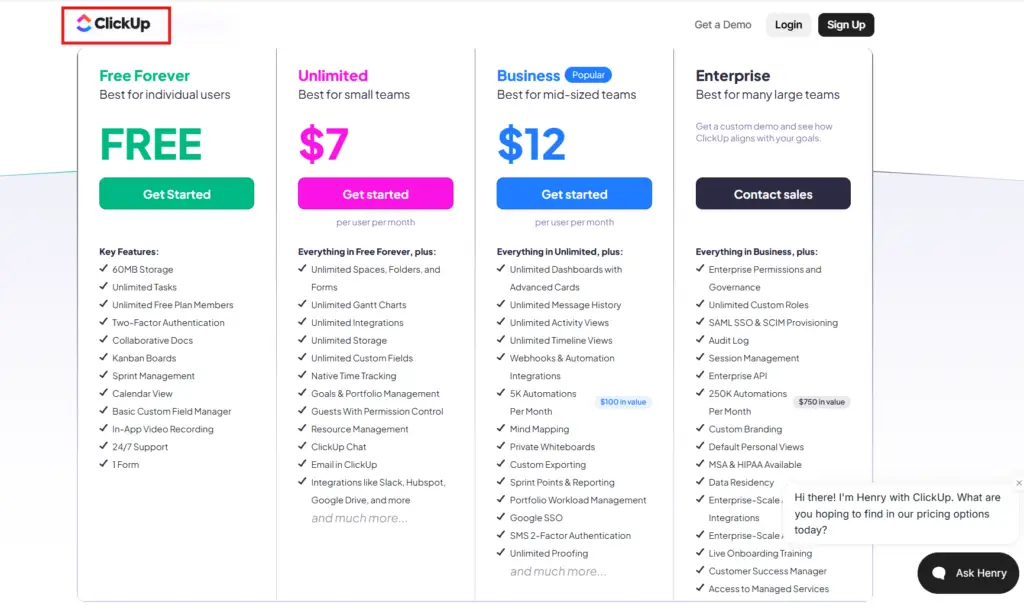
On monday.com vs clickup for small teams — the real contest: The monday.com vs clickup for small teams comparison comes down to two facts. ClickUp is cheaper (no 3-seat minimum, $7/user vs $12/user) and has more views. Monday.com is faster to onboard, prettier in client-facing dashboards, and has a stronger automation engine on Standard. For a price-first small team, ClickUp wins the monday.com vs clickup for small teams matchup. For a presentation-first agency selling to clients,monday.com wins. Most small business teams the size of 3–10 people end up choosing monday.com for the visual polish — but the monday.com vs clickup for small teams answer flips toward ClickUp on tight budgets.
The honest call at the end of this monday.com for small business review: monday.com wins on visual polish, board flexibility, and client-facing dashboards. ClickUp wins on price and depth of features per dollar. Notion wins for doc-heavy teams. Asana wins on no-frills task management. For the typical small business team running 3–10 people on visual client work — the reader profile this article is written for — monday.com is the right pick on Standard. For solo operators and price-sensitive teams, ClickUp.
What Nobody Tells You About Monday.com For Small Business
Four things this monday.com for small business review surfaces that the marketing copy and Monday’s own pricing page hide. These are the points that decide buyer regret in either direction — bought when you should have skipped, or skipped when you should have bought.
1. The monday.com 3 seat minimum is not visible during the free trial. You start the 14-day trial as a single user. The platform behaves like a 1-seat product for two weeks. Then you reach checkout and discover the monday.com 3 seat minimum — every paid plan requires 3 seats minimum, even if you only have 1 or 2 actual people. That is $36/month on Standard (not $12), or $27/month on Basic (not $9). Most solo trial users discover this at conversion. The monday.com 3 seat minimum is the single biggest reason for trial abandonment in the segment.
2. Basic plan has zero automations — and that detail is not on the main pricing card. The pricing cards on monday.com/pricing list ‘Basic – $9/seat’ next to ‘Standard – $12/seat’ with feature comparison below. If you do not scroll into the comparison matrix, you might assume Basic is a real plan. It is not. Basic has zero automations, zero integration actions, and limited dashboard widgets. For most monday.com for small business buyers, Standard is the real entry — Basic is a marketing anchor.
3. Hitting the monday.com automation limit mid-month is more painful than it sounds. When the monday.com automation limit on Standard runs out — the 250-action ceiling — automations stop firing silently until the next billing month. Status updates do not notify. Date-triggered moves do not move. The monday.com automation limit catching mid-cycle is the #1 reason small business teams upgrade to Pro mid-trial. If your team uses status notifications and date triggers heavily, the monday.com automation limit will be your decision-forcing event within 60 days.
4. The free plan is functionally useless for any actual team. The monday.com free plan limitations cap you at 2 seats, 3 boards, 1,000 items, zero automations, zero integrations, and 200MB storage. The monday.com free plan limitations make the free tier suitable only for solo testing of the interface for an hour. No 4-person team can run on it. No client work can run on it. Treat the monday.com free plan limitations as a preview, not a tier — and use the 14-day Standard trial for any real evaluation.
When You Should NOT Buy Monday.com For Small Business
This monday.com for small business review is willing to recommend skipping the platform. Five reader profiles where monday.com is the wrong buy:
You are a solo operator. The monday.com 3 seat minimum makes the platform $36/month minimum on Standard — for one person. Use Trello free, ClickUp free, or Notion free instead.
You are a 2-person team. Same problem — you pay for 3 seats and use 2. ClickUp at $7/user with no minimum is strictly cheaper at $14/month vs Monday’s $36/month minimum.
You are a documentation-heavy team. Notion is the better fit. Workdocs is functional but will not satisfy teams that live in long-form documents and knowledge bases.
You need analyst-grade reporting. Monday.com is visual-first. Detailed BI reporting requires workarounds. If you need pivot tables and deep data analysis, this is not the tool.
Your team is already running well on Trello Free or Asana Free. The migration friction is real. Do not solve a non-problem — the answer to monday.com for small business in this case is no.
Buy Standard, Buy Pro, Stay Free, Or Skip — The Verdict Table
The decisive verdict by team profile and use case. Find the row that matches your team and act on it.
Team Profile
Verdict
Why
Solo operator
SKIP
3-seat minimum makes Standard $36/month for one person. Use ClickUp Unlimited at $7/user instead, no minimum.
2-person team
SKIP
Same problem. ClickUp at $14/month or Notion at $16/month is strictly cheaper than Monday’s $36 floor.
3–5 person team running visual client work
BUY STANDARD
$36–$60/month on Standard. Automations alone return 2–4 hours/week. The category-defining buy.
3–10 person team, multiple projects, custom workflows
BUY STANDARD
$36–$120/month. Standard handles up to 250 automations/month — sufficient for most agencies and consultancies.
5–20 person team, complex automations, multi-board workflows
BUY PRO
$57–$228/month on Pro. 25,000 automations/month is effectively unlimited. Workload view becomes essential at this scale.
Documentation-heavy team
USE NOTION
Workdocs is not Notion-level. Doc-led teams should use Notion as the primary tool, monday.com is a poor fit.
Price-sensitive small team (5–10 people)
USE CLICKUP
ClickUp Unlimited at $7/user with no minimum is strictly cheaper. Trade visual polish for cost.
If this monday.com for small business review had to be reduced to three paragraphs, these would be them. Monday.com is genuinely excellent for the specific reader profile it is built for: 3–20 person small business teams running visual client work, agency engagements, or multi-project workflows. The board system + automations on Standard saves 2–4 hours/week of manual status updates — at a $30/hour billable rate, that pays back the $36/month minimum inside one week of consistent use.
What it does well: visual flexibility (9 views on the same data), no-code automation that non-technical team members can build, native Google Calendar / Slack / Drive integrations, Workload view on Pro for capacity planning, and 24/7 support. The 14-day free trial is generous and complete.
What it does not do well: the 3-seat minimum is the most-complained-about pricing decision in the segment, Basic plan is a misleading anchor with zero automations, reporting is visual-first not data-first, and Workdocs will not satisfy doc-heavy teams. For solo operators and 2-person teams, monday.com for small business is the wrong tool — the seat minimum makes it strictly worse than free or per-user-priced alternatives.
Monday.com For Small Business — Final Verdict For 2026
The closing call of this monday.com for small business review: monday.com is the right buy for small business teams of 3–20 people running visual client work, agencies coordinating multi-project workflows, and consultancies juggling multiple engagements. Standard at $36/month minimum is the real entry plan — Basic at $27 is a marketing anchor, not a working tool. Pro at $57/month minimum is necessary only at 5+ person scale with heavy automation use.
For the majority of readers finishing this monday.com for small business review, the right next step is the 14-day Standard free trial. Fourteen days is enough to migrate one real client project onto a board, set up 5–10 automations, sync your Google Calendar, and decide on real workflow data. If your team uses Standard features at least three times a week during the trial — automations firing, integrations syncing, multiple views actively used — switch to annual billing for the 18% saving. If not, cancel inside the trial window. No money at risk.
One final reminder for anyone skimming the verdict: the monday.com 3 seat minimum is real, the monday.com free plan limitations make the free tier useless for actual teams, and the monday.com automation limit on Standard caps at 250/month. Anyone seriously evaluating monday.com for small business must internalise those three numbers before activating the trial. Either way, this monday.com for small business review recommends you do not pay for a tool you have not tested on your own workflow with your own team. Start free, start informed, and let your real data — your team’s actual usage — decide.
Sangeetha Vishnu is a Digital Product Reviewer and Affiliate Marketer with 4 years of experience exploring affiliate marketing, digital products, AI tools, and software across multiple platforms and affiliate programs.
I research, purchase, and test the products I review before sharing my honest experience. My goal is to help entrepreneurs, marketers, creators, and beginners understand what a product actually does, who it’s for, and whether it’s worth investing in.
I also share practical insights on affiliate marketing, AI tools, SEO, and online business. My guiding principle is simple: “Authority, Built On Clarity.” I believe honest reviews and transparent recommendations build lasting trust.