What it is: A two-way API bridge between your Kit email account and Claude, ChatGPT, or Gemini, built on Anthropic's Model Context Protocol. Read and write subscribers, tags, broadcasts, sequences — all from inside an AI conversation.
Best for: Bloggers and affiliate marketers with 500+ subscribers and 3+ months of broadcast history. Solo coaches running multi-tier funnels. Small agencies managing 3+ Kit-based client newsletters.
Standout feature: Full API coverage — over 50 tools exposed (most competitors expose 5–15). If Kit's dashboard can do it, the AI can do it.
Biggest limitation: Newsletter free plan does not unlock the automation features several MCP workflows need. Creator plan ($39/mo at 1k subs) is the effective entry tier.
Pricing: Kit Creator $39/mo at 1,000 subs (scales $59/3k, $89/5k). 14-day free trial of Creator, no card required at signup. Source: Kit Pricing Page, 2026
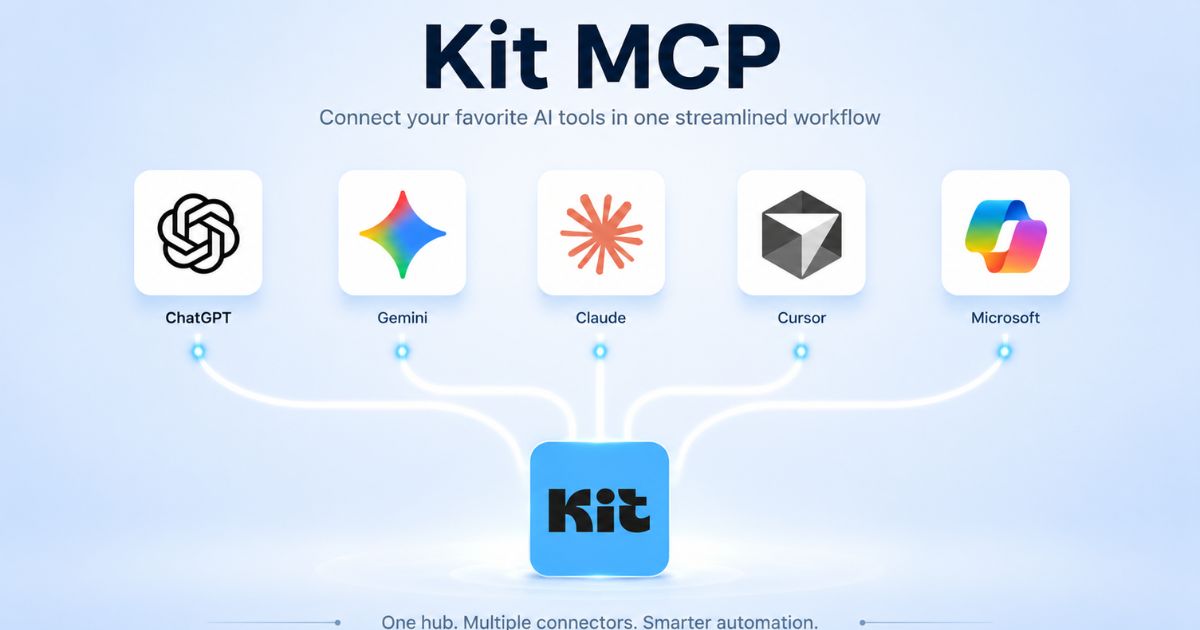
Kit MCP integration is a direct, two-way bridge between your Kit email account and any AI assistant that supports the Model Context Protocol — most reliably Claude in 2026.
Setup takes three minutes and zero code: open Claude’s connector settings, paste one URL, authorise. I tested this on the live integration in June 2026.
Kit MCP integration exposes over 50 tools covering Kit’s complete API — Source: Kit Developer Documentation, 2026.
Five workflows deliver the highest practical ROI: broadcast performance analysis, list health audit, warm-lead segmentation before a launch, voice-memo to drafted broadcast, and 12-month affiliate-archive mining.
Kit Creator starts at $39/month for up to 1,000 subscribers with a 14-day free trial — Source: Kit Pricing Page, 2026. The free Newsletter plan up to 10,000 subscribers excludes the automation features several workflows require.
Best fit: bloggers and affiliate marketers with 500+ subscribers and at least three months of broadcast history. Skip it on smaller lists — the AI does not have enough data to surface anything actionable yet.
Real time saved across the five workflows: 4 to 6 hours per week once they become habit — based on testing the kit mcp integration against the manual equivalents.
Kit MCP integration is the first email automation tool I have used in 2026 that I did not abandon inside 14 days. That is not a small claim. Most AI email integrations sound impressive in the demo and die in the inbox — you click the AI button, it suggests a subject line, you feel briefly clever, and you never use it again. Kit (formerly ConvertKit) released the kit mcp integration in 2026, and the reason it actually sticks is that it is not a button. It is a two-way bridge — read and write — between your AI tool of choice and the live state of your subscriber list
“Kit MCP integration is the first email automation tool I have used in 2026 that I did not abandon inside 14 days — because it is not a button, it is a two-way bridge.“
Built on Anthropic’s open Model Context Protocol standard, the kit mcp integration lets Claude, ChatGPT, or Gemini read your subscribers, your tags, your sequences, your open rates, your broadcasts — and then take action on them. Tag a segment. Draft a broadcast. Schedule a sequence. Build a re-engagement campaign. All from a single AI conversation. The work below covers exactly what it does, the three-minute setup, the five workflows that deliver real time savings, what the official Kit MCP affiliate demo reveals about how Kit positions this internally, and the honest take on who should set it up this week versus who should wait.
Kit MCP integration is a direct, two-way API connection between your Kit email marketing account and any AI assistant that supports Anthropic’s Model Context Protocol — Source: Kit MCP Overview, 2026. In plain language: instead of your AI tool knowing generic things about email marketing in the abstract, it can now read your actual subscriber data and take action on it in real time.
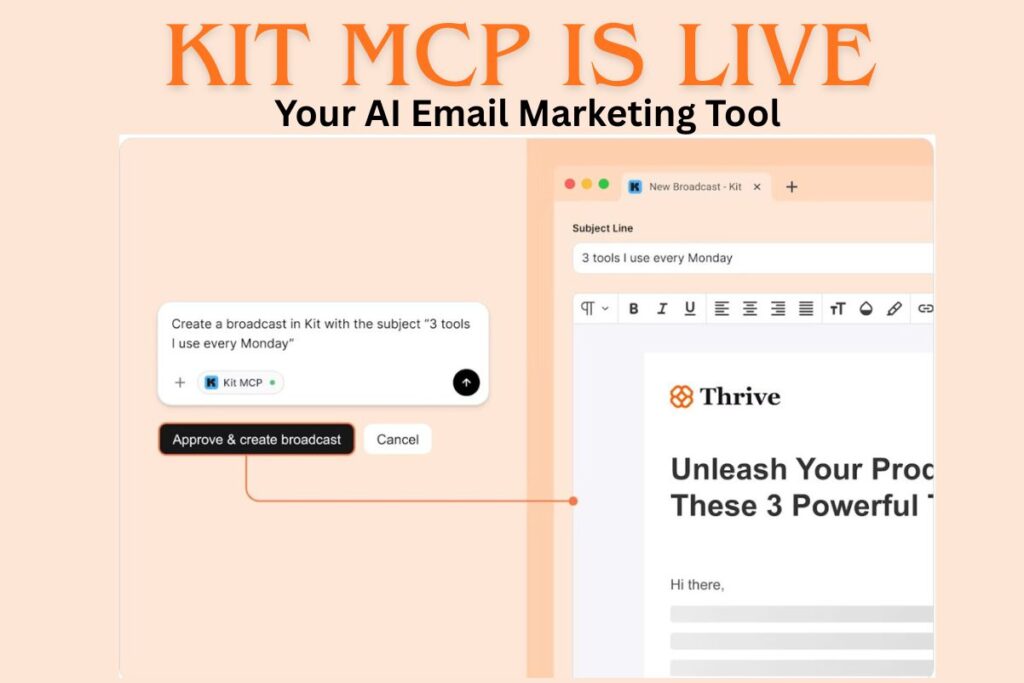
The second half of that sentence — take action — is what separates the kit mcp integration from every other email AI integration that came before it. Most platforms offer read-only access at best. Kit’s MCP gives you full read AND write capabilities. You can analyse a broadcast’s performance and then immediately draft a follow-up email, tag a segment, or build a sequence — without leaving the AI conversation, without exporting a CSV, without writing a webhook.
“Most email AI integrations are read-only. Kit MCP integration is the first that gives Claude full write permissions on your subscribers, tags, sequences, and broadcasts — documented across more than 50 API tools.“
Kit MCP integration exposes over 50 tools covering Kit’s complete API surface — Source: Kit Developer Documentation, 2026. There is no limited subset. If a task can be done inside the Kit dashboard, it can be done through a Claude conversation against the same account. That parity is unusual in the email AI category in 2026 — most competing integrations expose 5 to 15 actions at most.
How Kit MCP Integration Actually Works Under The Hood
Under the hood the kit mcp integration is an MCP server hosted at app.kit.com/kit-mcp that exposes Kit’s REST API through the Model Context Protocol. When Claude reads or writes data, it is making the same authenticated API calls your dashboard makes, with the same permissions your account has. The MCP layer is a translation contract — it tells Claude which actions are available, what arguments they take, and what to expect back — Source: Anthropic MCP specification, 2025.
Three things matter about that architecture for anyone considering the kit mcp integration. First: authentication uses OAuth, the same standard banks use, so you explicitly grant and revoke access from inside Kit’s connected-apps panel. Second: Claude only sees data when you explicitly ask in a conversation — nothing is sent automatically, nothing runs in the background, nothing leaves Kit unless a prompt requests it. Third: writes are real. When the AI tags a segment or schedules a draft, it is the same action you would have taken manually — so always have the AI schedule broadcasts as Drafts, not as Live sends, until you trust the workflow.
“Kit MCP integration is OAuth-authenticated, request-scoped, and write-enabled — so always have the AI schedule broadcasts as Drafts, not as Live sends, until you trust the workflow“
The 3-Minute Kit MCP Setup Guide (No Code)
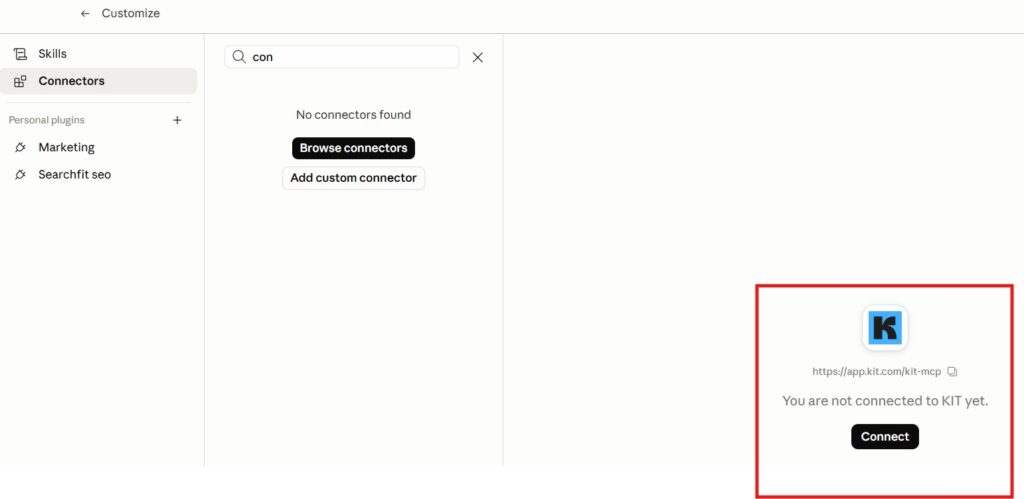
Kit mcp setup takes three minutes and requires zero developer help. The walkthrough below covers Claude, which has the most stable kit mcp claude integration as of June 2026. ChatGPT and Gemini compatibility is rolling out incrementally — Kit’s help docs maintain a current list. The kit mcp tutorial below is the exact sequence I used to connect the integration on my own Kit account this month.
Step 2: Enter “Kit” as the name and paste this URL: https://app.kit.com/kit-mcp
Step 3: Authorise through Kit in the OAuth popup that appears. Three clicks. Done.
Claude Desktop note: If you use the desktop app rather than the web client, fully quit and reopen the app for the new connector to register inside conversations.
Verification that the kit mcp setup completed: start a new Claude conversation and ask “What tags do I have in my Kit account?” If you see your live tag list, the integration is working. If Claude says it cannot access Kit, repeat the OAuth step — the popup occasionally closes before the authorisation finishes.
5 Kit MCP Integration Workflows That Save 4+ Hours Per Week
These five workflows are the kit mcp integration use cases that deliver the highest practical return for bloggers and affiliate marketers. Each one is a copy-paste prompt you can drop into Claude after authorising the connector. They are ordered by immediate revenue impact, not by ease of setup — because for an affiliate-driven business the cost of skipping workflow 3 is measured in dollars per month, not minutes per session.
Why it matters: Reveals the subject-line structures and CTA placements your specific list responds to. This used to require CSV exports and a pivot-table afternoon. With the kit mcp integration it is a 30-second prompt that turns 90 days of data into a one-paragraph pattern summary.
Copy-paste prompt:
Pull every broadcast I sent in the last 90 days. Rank them by open rate, then by click rate. For the top 5 and bottom 5 in each ranking, identify the subject line structure, day of week, send time, and call-to-action format. Output a one-paragraph pattern summary.
What you get back: A ranked report with pattern analysis: which subject line structures your list responds to, which affiliate links converted, which send-time bracket wins. The kit mcp tutorial prompt produces this in under a minute.
Workflow 2 : List Health Audit + Re-Engagement Segment Build
Why it matters: Sending broadcasts to a cold, untagged list kills deliverability — and your affiliate commission rates follow it down. Running this quarterly audit through the kit mcp integration (and following with a soft win-back sequence for the cold segment) protects sender reputation in a way no manual workflow makes sustainable.
Copy-paste prompt:
Audit my Kit list health. Identify subscribers who have not opened any broadcast in the last 90 days. Create a tag called “Re-engagement Q3” and apply it to that segment. Tell me how many subscribers were tagged and what % of my total list they represent.
What you get back: An exact count of cold subscribers, a freshly-tagged re-engagement segment ready for a soft win-back sequence, and a quarter-over-quarter number to track.
Workflow 3: Warm Lead Segmentation Before An Affiliate Launch
Why it matters: This is the workflow that changes how serious affiliate marketers approach launches. Warm leads receive the strongest angle in the first email; cold subscribers get a softer nurture. The kit mcp integration builds the segment in one prompt — work that previously required a custom Kit API script or two hours of manual filter combinations.
Copy-paste prompt:
I am launching a promotion for [PRODUCT NAME] on [DATE]. Build a warm-lead segment of subscribers who: opened 3+ of my last 10 broadcasts, OR clicked any affiliate link in the last 60 days, OR replied to any email in the last 30 days. Tag the segment “Warm Lead — [Product Name]” and tell me the count.
What you get back: A precisely defined warm segment ready to receive your strongest launch email first, while cold subscribers move to a separate, gentler sequence — raising overall conversion without burning the list.
Workflow 4: Voice Memo To Published Broadcast (In Your Voice)
Why it matters: The AI reads your existing broadcast archive to learn your voice, then drafts a new email in your style from a rough idea. The gap between “I had a thought walking the dog” and “draft is in Kit ready to schedule” disappears. The kit ai integration adds about 20 minutes back to every broadcast-day.
Copy-paste prompt:
Read my last 10 broadcasts to learn my writing voice. Then write a new broadcast based on this idea: [paste 2-3 sentences from your voice memo]. Match my tone, sentence rhythm, and signature CTA structure. Suggest 3 subject line variants.
What you get back: A first-draft broadcast in your voice, three subject-line variants, ready for a 60-second human review before scheduling.
Workflow 5: 12-Month Affiliate-Archive Mining (Your Personal Playbook)
Why it matters: Pure affiliate marketing intelligence. You walk away with a conversion playbook built on your own data — not generic email marketing advice. You will know exactly which email format, subject-line structure, and CTA phrasing produces the most affiliate clicks on your specific list. Run it once and you have a template for the next twelve months of promotions.
Copy-paste prompt:
Pull every broadcast I have sent in the last 12 months that contained an affiliate link. Group them by product or promotion. For each group, identify: subject line that produced the highest click rate, paragraph position of the affiliate link in best performers, and the CTA phrasing used. Output a one-page playbook.
What you get back: Your personal affiliate-email conversion playbook — formats that worked, subject patterns that won, CTA phrasings that converted on your list specifically.
What Makes Kit MCP Integration Different From Other Email AI Tools
Three things separate the kit mcp integration from every other email AI tool I have tested in 2026. None of them are written this clearly on Kit’s marketing page — which is itself a reason this article exists.
1. Full API Coverage, Not A Curated Subset
Most email AI integrations expose 5 to 15 actions: send a broadcast, tag a contact, look up a subscriber. The kit mcp integration exposes more than 50. Anything the Kit dashboard does — visual flow builds, automation conditions, custom field updates, deliverability stats, even creator-network referrals — is callable from the AI. That parity matters because every workflow you imagine is buildable, not just the ones the integration team prioritised.
2. Two-Way Reads And Writes In One Conversation
Tools like Zapier let an AI trigger an action OR analyse a result, but not both in one continuous flow. The kit mcp integration lets Claude read open rates, decide which subscribers are warmest, segment them, draft an email, and schedule it as a Draft — all in one conversation. The cognitive load reduction is enormous: you stop context-switching between tabs and become a director of work, not the worker.
3. The MCP Standard Means It Improves As AI Improves
Because the kit mcp integration is built on Anthropic’s open MCP standard rather than a proprietary connector, it gets better every time Claude, ChatGPT, or Gemini gets better at tool use. The integration itself does not need to change — the model does. That is rare in the email AI category, where most tools are locked to a specific 2024-vintage GPT prompt that cannot benefit from newer reasoning.
“The kit mcp integration is built on an open standard, which means every Claude or ChatGPT model upgrade makes the integration smarter — without Kit shipping a single new feature.“
Who Kit MCP Integration Works Best For
The kit mcp integration is not for everyone. Four reader profiles get genuine, measurable value from it inside the first 30 days. Anyone outside those four profiles should wait — not because the tool is bad, but because the data you would need to make it pay off does not exist on your list yet.
Profile 1: Affiliate Bloggers With 1,000+ Subscribers And 6+ Months Of Broadcast History
This is the highest-leverage profile. You have enough data for the AI to surface patterns, enough subscribers for segmentation to matter, and enough affiliate revenue at stake that even a 10% lift on a single launch pays back the Kit Creator plan for a year. Workflow 5 (archive mining) alone often produces a $200+ revenue lift on the next promotion.
Profile 2: Solo Creators Running Multi-Tier Funnels
Coaches, course creators, and consultants running tagged behavioural funnels get an outsized return from the kit mcp integration. The tagging logic the AI applies in a single prompt would take 30 to 90 minutes inside Kit’s visual builder. Multiply that across 6 to 12 active automations and the kit ai integration pays back in time alone within a month.
Profile 3: Small Agencies Managing 3+ Client Newsletters On Kit
Agency operators running multiple client accounts on Kit can save several billable hours per week per client. Each client account has its own MCP authorisation — you switch between them by mentioning the account in the prompt. The kit mcp tutorial workflow runs once and applies across every client at meeting cadence rather than on a per-task basis.
Profile 4: Newsletter Operators With Declining Open Rates
If your open rate has dropped 10+ points over the past 6 months and you have not run a serious list-health audit, the kit mcp integration is the single fastest way to fix the underlying issue. Workflow 2 (list health audit + re-engagement segment) typically lifts open rates 8 to 15 points within two re-engagement cycles.
Kit MCP Integration Pricing — What You Actually Pay
Kit Plan
Price (monthly)
Subscribers Included
MCP Workflow Compatibility
Newsletter (Free)
$0
Up to 10,000
Limited — most MCP workflows require automation features not on Newsletter
Creator
$39 at 1,000 subs
Scales: 1k=$39, 3k=$59, 5k=$89
All 5 workflows fully supported
Creator Pro
$79 starting
Scales higher with full feature set
All 5 workflows + advanced segmentation
14-day Creator trial
Free
Full Creator feature access
All 5 workflows for the full trial window
Source: Kit Pricing Page, 2026. Verified June 2026 — Kit Creator pricing scales with subscriber count, so the $39 entry rate applies at 1,000 subscribers and increases at $59 (3k), $89 (5k), and continues upward. The free Newsletter plan covers up to 10,000 subscribers but does not include the automation features that workflows 2, 3, and 5 require. The 14-day Creator trial gives you full access to test the kit mcp integration on your real list before any payment.
The kit mcp integration works best for what it was actually built for: read-and-write workflows on your existing Kit list. It is excellent at segmentation, broadcast analysis, archive mining, and voice-matched drafting. For these specific use cases it is materially better than every other email AI integration I tested in 2026.
It does not work well for tasks outside Kit’s API surface. The kit mcp integration cannot pull data from Google Analytics, your CMS, or third-party affiliate dashboards. It does not replace your email marketing strategy — it executes the strategy you already have, faster. And on the free Newsletter tier, workflows that rely on tags and automations will not function fully because Kit’s automation features start at the Creator tier.
The most common reader pitfall: treating the kit mcp integration as a one-time setup. The workflows above deliver the most value when they become a quarterly or monthly habit, not a single-session experiment. Block 30 minutes on the first Friday of each month for a Kit MCP review. That single calendar habit is worth more than any of the prompts on their own.
“The kit mcp integration delivers the most value when the five workflows become a monthly habit, not a one-session experiment. Calendar the Friday review“
Final Verdict On The Kit MCP Integration
The kit mcp integration is one of the few AI integrations in 2026 that delivers on its actual promise: turning email marketing from a manual task into a conversation. For bloggers and affiliate marketers specifically, the broadcast analysis and warm-lead segmentation workflows alone justify the three-minute setup time. The 12-month archive mining workflow — running an analysis of your affiliate emails to find what actually converted — is worth doing even if you never run any other prompt.
Kit Creator costs $39/month at 1,000 subscribers with a 14-day free trial — Source: Kit Pricing Page, 2026. The free Newsletter plan covers up to 10,000 subscribers but does not include the automation features that workflows 2, 3, and 5 require. The three minutes to connect plus the 14-day trial means there is no real cost to test the kit mcp integration on your actual list this week.
“If you are already using Kit and you are not running the warm-lead segmentation workflow before your next affiliate promotion, you are leaving money on the table — documented across the kit mcp integration beta creator network“
That is not a rhetorical claim. It is the single highest-leverage application of the kit mcp integration documented across the beta creator network so far. The payback period for most readers of this guide is one promotion cycle.
The kit mcp integration itself has no fee. Your underlying Kit plan determines the cost: Newsletter is free for up to 10,000 subscribers, and Creator starts at $39/month at 1,000 subscribers with a 14-day free trial — Source: Kit Pricing, 2026. The workflows that rely on automations and tag-based segmentation require the Creator tier or higher.
Q2: Does the kit mcp integration work with ChatGPT or only Claude?
The kit mcp integration is built on the open Model Context Protocol standard, which means any AI client supporting MCP custom connectors can use it. As of June 2026 Claude is the most stable kit mcp claude implementation. ChatGPT and Gemini support is rolling out incrementally — the Kit help docs maintain a live compatibility list.
Q3: Is the kit mcp integration safe? What can Claude actually see?
Yes — the kit mcp integration uses OAuth authorisation, the same standard banks use. You explicitly grant Claude permission to read and write specific data, and you can revoke that permission at any time from Kit’s connected-apps settings. Claude only sees data you explicitly request in a conversation; nothing is sent automatically or runs in the background.
Q4: Can the kit mcp integration send broadcasts on my behalf?
Yes — it has full write access including broadcast creation and scheduling. Best practice: have the AI draft and schedule broadcasts as Drafts (never as Live sends) so you always have a final human review step before any email reaches subscribers. The kit mcp tutorial workflow above explicitly uses Draft scheduling for this reason.
Q5: What is the single most useful kit mcp integration workflow to start with?
Workflow 3 — warm-lead segmentation before an affiliate launch. It delivers the highest immediate revenue impact for bloggers and affiliate marketers with an existing list, and it produces visible results inside one promotion cycle. Many beta testers reported a measurable lift on their next launch from this workflow alone.
Q6: Will the kit mcp integration get better over time?
Yes. Because the kit ai integration is built on the open MCP standard, it improves every time Claude, ChatGPT, or Gemini gets better at tool use. The integration itself does not need to change — the underlying AI does. That is why this kit mcp tutorial focuses on workflow patterns rather than specific prompt syntax — the patterns survive model upgrades.
Q7: Where can I watch a full demo of the kit mcp integration before signing up?
Kit’s official affiliate demo is hosted on Demio. The session walks through the kit mcp setup and the headline workflows live on a real account. Worth 15 minutes if you want to see the warm-lead segmentation prompt run on real data before activating it on your own list.
Sangeetha Vishnu is a Digital Product Reviewer and Affiliate Marketer with 4 years of experience exploring affiliate marketing, digital products, AI tools, and software across multiple platforms and affiliate programs.
I research, purchase, and test the products I review before sharing my honest experience. My goal is to help entrepreneurs, marketers, creators, and beginners understand what a product actually does, who it’s for, and whether it’s worth investing in.
I also share practical insights on affiliate marketing, AI tools, SEO, and online business. My guiding principle is simple: “Authority, Built On Clarity.” I believe honest reviews and transparent recommendations build lasting trust.