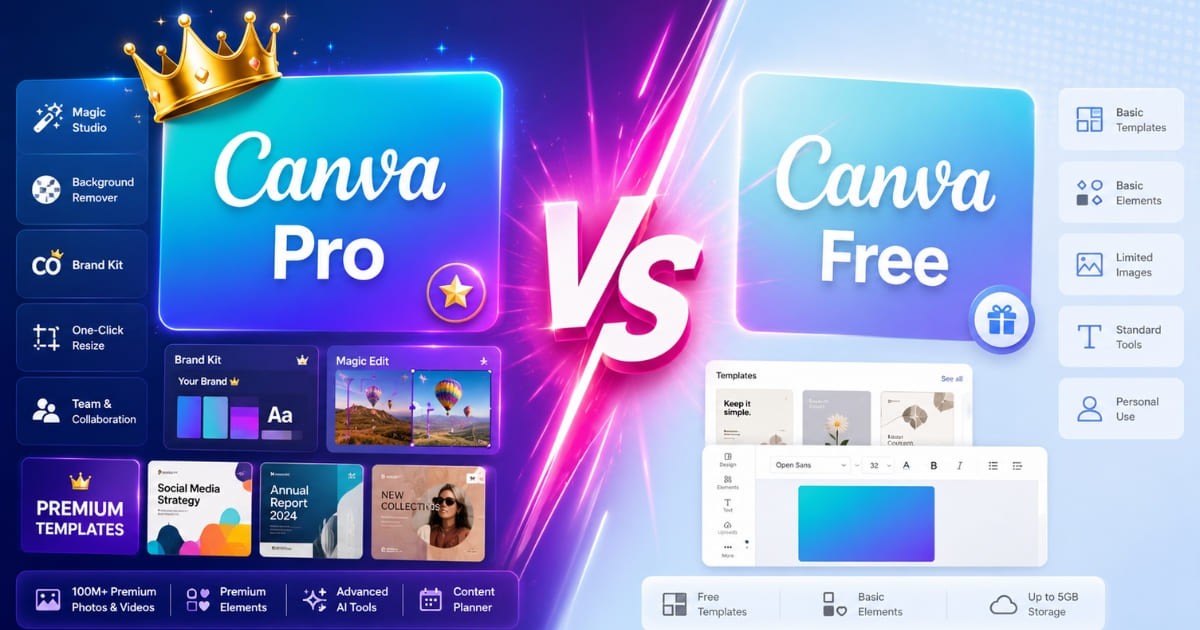
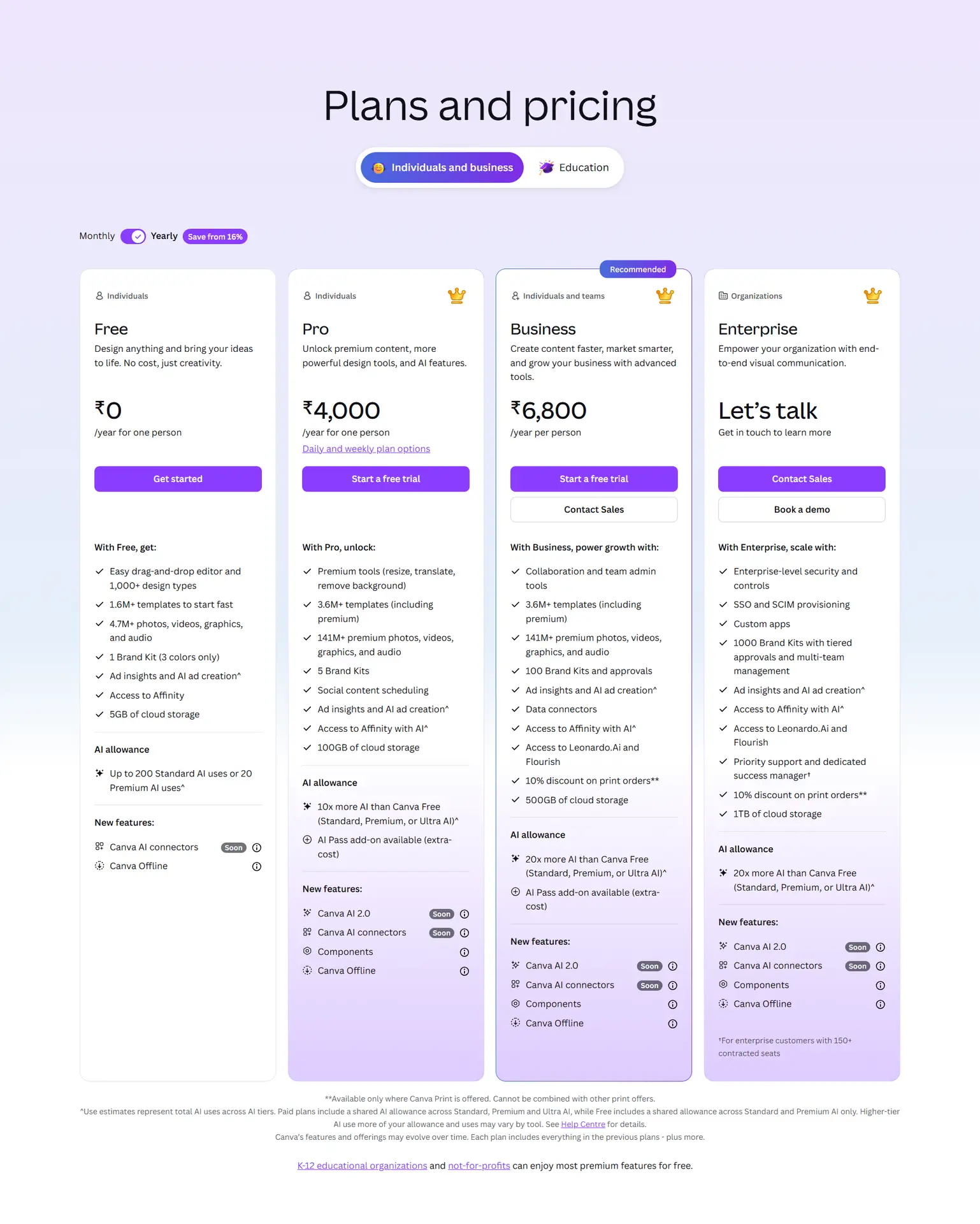
Canva Free is enough if you create simple designs, personal graphics, school projects, or 1–2 social posts per month.
Canva Pro is worth it if you regularly use Background Remover, Magic Resize, Brand Kit, premium templates, transparent PNG export, or Content Planner.
The biggest free-plan limits are Background Remover paywall, manual resizing, limited Brand Kit, premium template locks, and the 5GB storage ceiling.
The clearest upgrade signal is this: if you would use three or more Pro features every week, Canva Pro can save enough time to justify the $144 yearly cost.
Canva Free and Pro both include the same drag-and-drop editor, real-time collaboration, standard PNG/JPG/PDF exports, and access to the free template library.
Best choice by user type: casual users should stay free, creators and small businesses should consider Pro, teachers/nonprofits should check Canva’s free eligibility programs first.
Final verdict: Canva Free is best for access. Canva Pro is best for speed, branding, and regular content creation.
Pros
Canva Free is genuinely useful It includes templates, 5GB storage, collaboration, and standard exports, so beginners do not need to upgrade immediately.
Canva Pro saves serious time for creators Magic Resize, Background Remover, Brand Kit, premium templates, and Content Planner directly reduce repeated manual work.
100GB Pro storage handles most creator and small business workflows comfortably
Background Remover and Magic Resize save hours per week for regular creators
Cons
Free users hit Pro paywalls quickly Background Remover and Magic Resize are major free-plan limits for creators.
Brand Kit on Free is limited Free allows only a small Brand Kit setup, which becomes frustrating once branding matters.
AI features (Dream Lab, Magic Write) have credit limits even on Pro plans
An independent, usage-ranked comparison of Canva Free vs Pro 2026 · Last verified May 2026.
You have been designing on Canva free for months, and lately every third click hits an upgrade prompt.
You tried to remove a background and got a paywall. You went to resize a post for a different platform and got another. So you are weighing Canva free vs Pro 2026, and every comparison you open just lists fifty features with a checkmark or a cross — which tells you nothing about whether the upgrade will change your actual day.
The real question is not what Pro technically includes. It is which of those features you will genuinely use often enough to justify $144 a year — and which are there for someone else’s workflow, not yours.
This Canva free vs Pro 2026 comparison answers exactly that. Instead of a flat feature list, it ranks the 11 upgrades that change your workflow by how often a real creator uses them, names the 4 things that stay identical on both plans, and tells you plainly who should stay free. By the end you will know your own answer, not a sales pitch.
Canva free vs Pro 2026 comes down to 11 features that change and 4 that stay identical — the upgrade is worth it only if you use several of the 11 often.
Canva Pro costs $18/month or $144/year and unlocks the Background Remover, Magic Resize, Brand Kit, premium templates, and Content Planner.
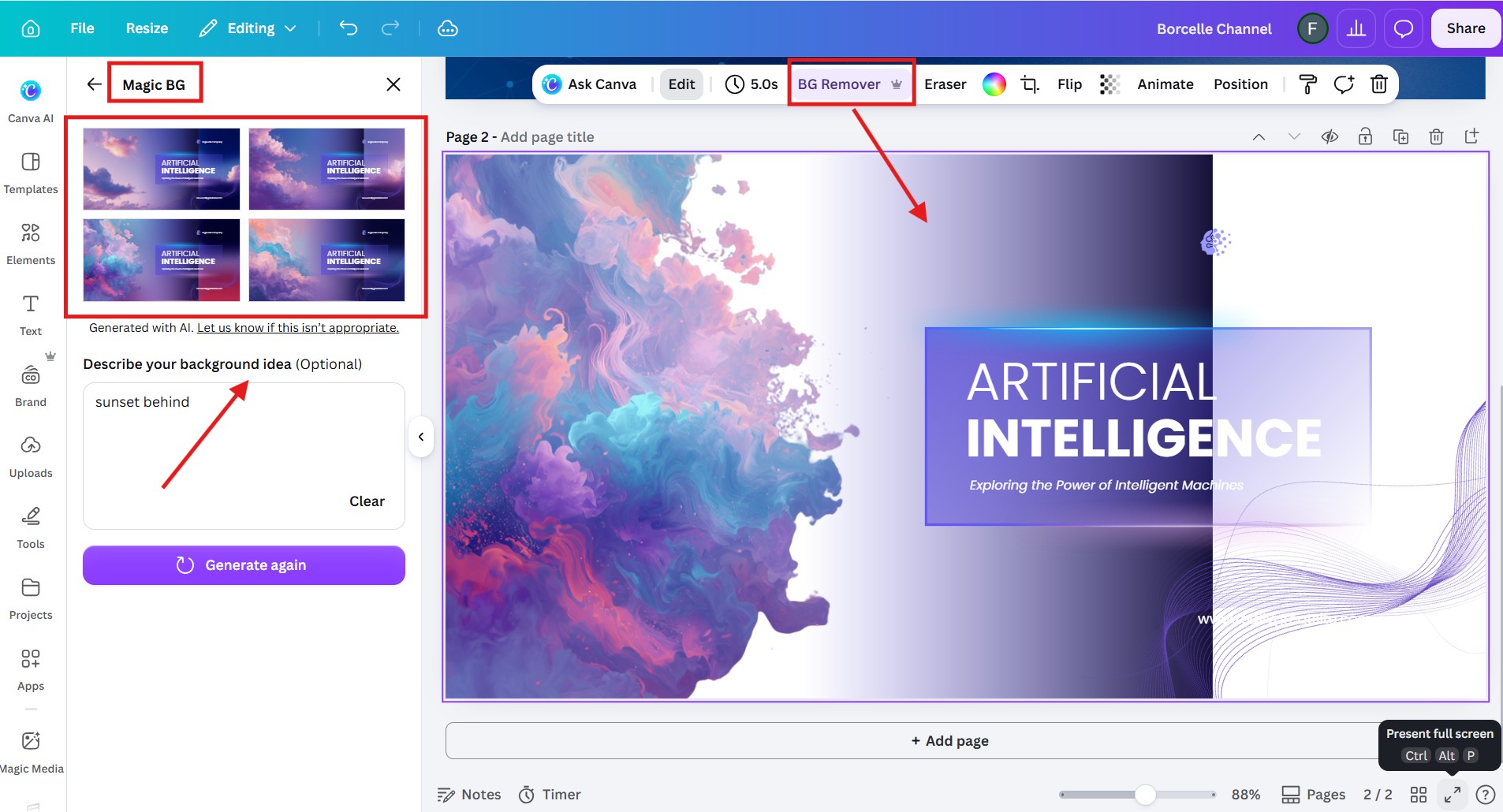
The Background Remover is the limit most free users hit first, usually within the first week of serious design work.
Canva free plan features are generous: 250,000+ templates, 5GB storage, real-time collaboration, and watermark-free exports.
Real-time collaboration, the design editor, and PNG/PDF export are identical on both plans — you never need to pay for those.
The clearest signal the Canva Pro upgrade is worth it is resizing the same design across platforms more than once a week. Count how many of the 11 features you’d use — three or more means Pro pays for itself.
Occasional users who design less than once a week are unlikely to recover the $144 annual cost and should stay on Canva free.
The Short Answer: What Canva Pro Actually Unlocks
Canva Pro unlocks unlimited premium templates, the Background Remover, Magic Resize, Brand Kit, and the Content Planner — the core features not available on the free plan in 2026.
If you want the verdict before the detail, here it is. In the Canva free vs Pro 2026 split, 11 features meaningfully change when you upgrade, 4 things stay exactly the same, and the price is $18 a month or $144 a year — Source: Canva pricing page, 2026. Whether that is worth it depends entirely on how many of those 11 you would actually use.
The honest framing the rest of this article follows: do not ask what Canva Pro unlocks in total. Ask what Canva Pro unlocks for you. A daily content creator and a once-a-month hobbyist get completely different answers from the same feature list.
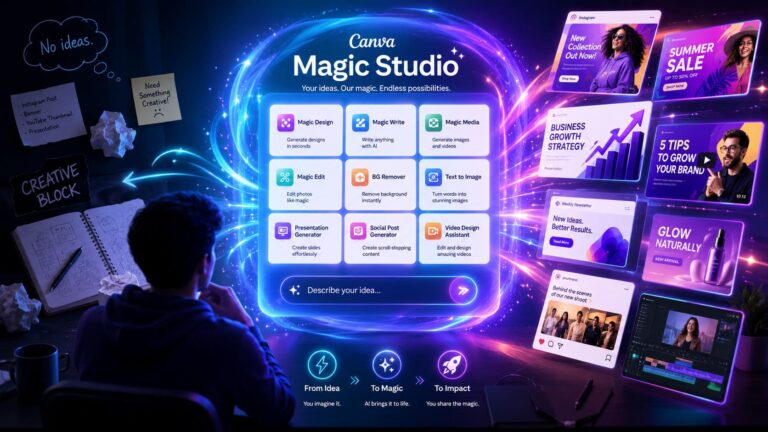
One more split worth flagging before the detail: the AI tools. Canva free vs pro 2026 also differs on Magic Studio, where free users get limited monthly AI credits and Pro raises the ceiling. If AI generation is central to your workflow, see the “Canva Magic Studio free vs Pro” breakdown, which covers those credits in full.
The 5 Canva Free Limits You’ll Hit First (In Order)
The five Canva free limits most creators hit, in order, are the Background Remover paywall, cross-platform resizing, the Brand Kit cap, premium template locks, and the 5GB storage ceiling.
These are ranked by how soon a typical creator runs into them, not alphabetically. This is where the Canvafree vs Pro 2026 comparison becomes practical: the upgrade question usually starts when one of these five limits interrupts real work.
1. The Background Remover paywall (week 1)
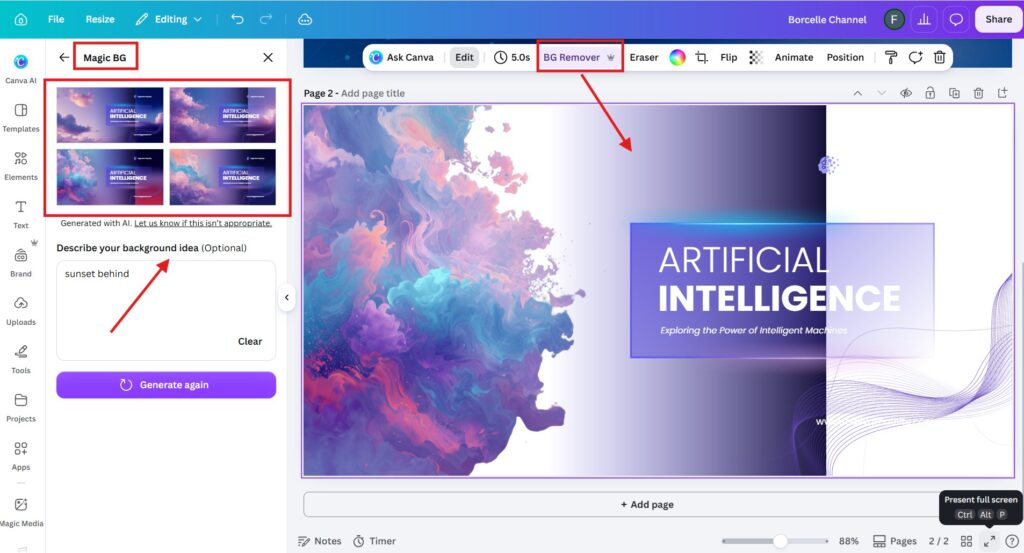
Canva Free users hit the Background Remover paywall within their first few design sessions, because it is a Pro-only feature in 2026. The moment you try to cut a product or a face out of its background for a thumbnail, you meet the upgrade prompt. For anyone making product images or YouTube thumbnails, this is the limit that stings first.
2. Resizing for different platforms (week 2)
Magic Resize, which reformats one design into every platform size in seconds, is Pro-only — so on free you rebuild each size by hand. The first time you need your one graphic as an Instagram post, a story, and a Pinterest pin, you feel this limit. It does not block you; it just quietly eats your afternoon.
3. The Brand Kit cap (month 1)
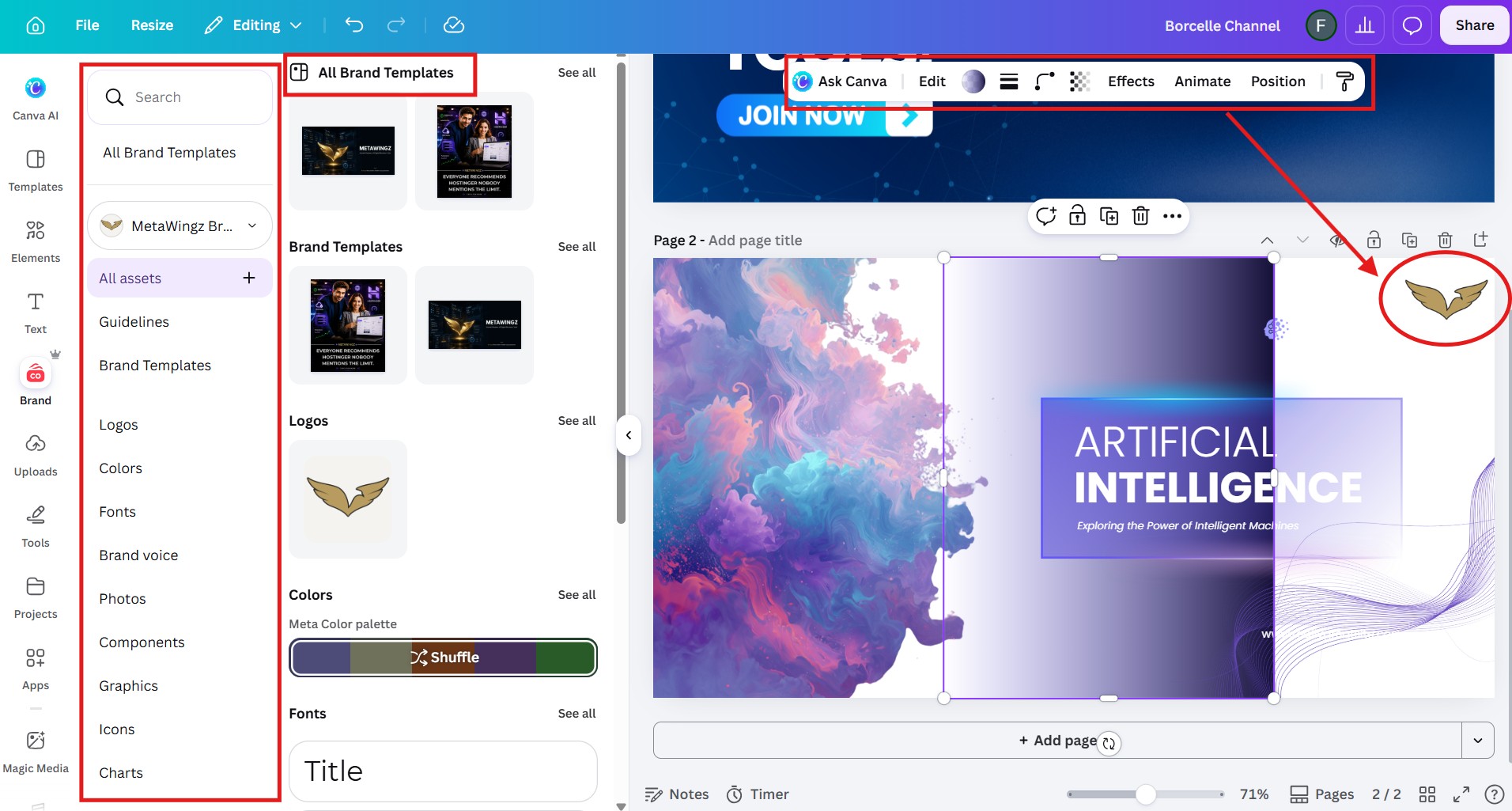
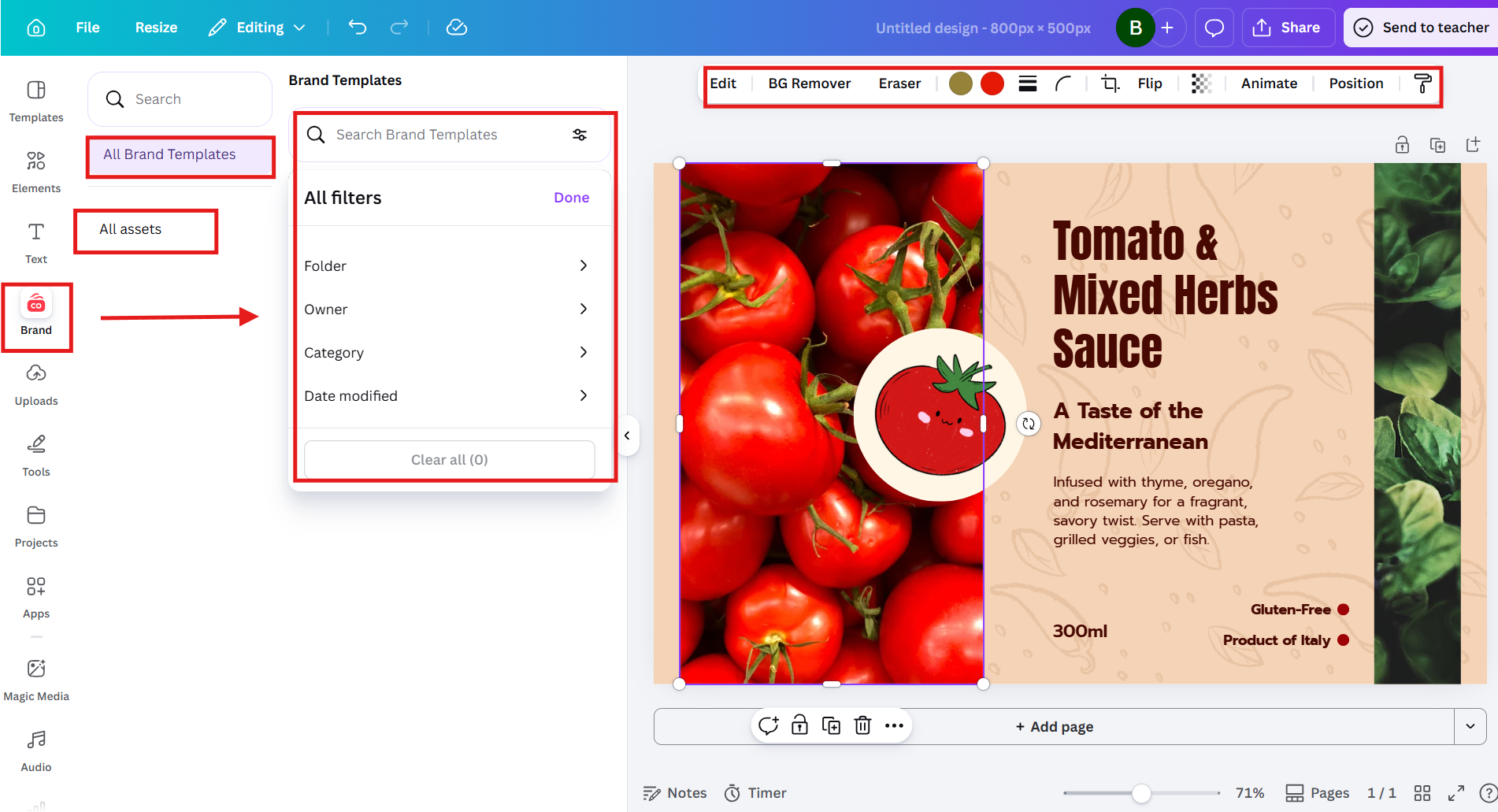
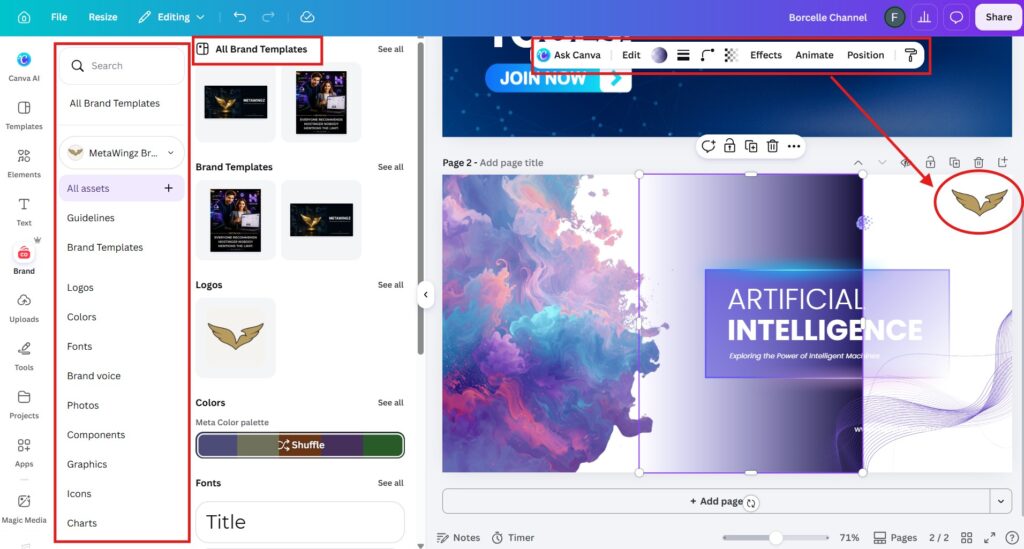
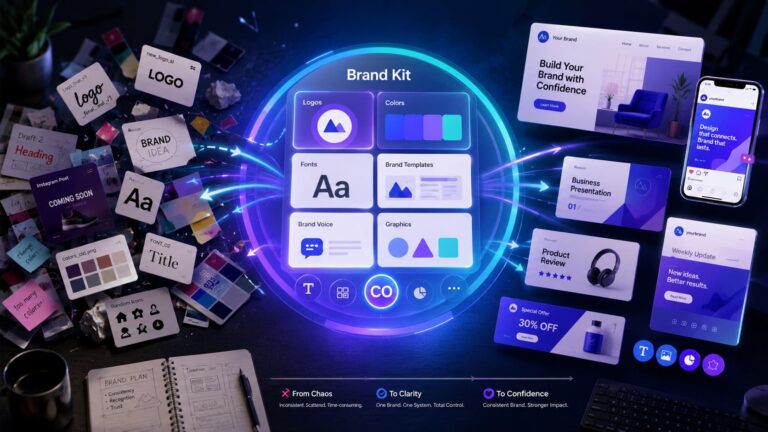
Canva Free allows one Brand Kit storing only up to three brand colours, with no logo upload and no custom fonts. Once you start caring about consistency across designs, that ceiling arrives fast. This is covered in depth in the “Canva Brand Kit free plan” guide.
4. Premium template locks (ongoing)
Free includes 250,000+ templates, but the polished, on-trend ones are often premium and locked behind Pro. You will not hit a hard wall here — you will just keep noticing the best template for the job has a little crown on it. It is a slow, recurring nudge rather than a sudden stop.
5. The 5GB storage ceiling (months in)
Canva Free includes 5GB of cloud storage, which is plenty until you archive months of client work or video assets. This is the slowest limit to arrive and the easiest to ignore — most solo creators take a long time to fill 5GB.
11 Features That Unlock With Canva Pro — Ranked by Real Usage
What Canva Pro unlocks, ranked by how often a typical creator actually uses each feature, runs from Magic Resize and the Background Remover at the top to priority support and extra storage at the bottom.
This is the table that matters most in any Canva free vs Pro 2026 decision. The usage column is the honest part — a feature you use daily justifies the price far more than ten features you would touch once a year. The most used Canva Pro feature for content creators is Magic Resize, which reformats one design across every social platform in seconds.
SI.NO
Feature
What Pro adds vs Free
Typical usage
1
Magic Resize
One design → every platform size instantly
Daily
2
Background Remover
Unlimited one-click background removal
Daily
3
Premium templates
250K free → 100M+ premium templates/elements
Daily
4
Brand Kit
1 kit/3 colours → multiple kits, logos, fonts
Weekly
5
Custom font upload
Upload your own brand typeface
Weekly
6
Content Planner
Schedule posts to social directly from Canva
Weekly
7
Transparent PNG
Export PNGs with transparent backgrounds
Weekly
8
Magic Studio AI credits
Higher monthly AI generation limits
Weekly
9
Resize + scheduling combo
Repurpose and queue in one flow
Weekly
10
Storage 5GB → 1TB*
Far more room for assets and archives
Rarely
11
Priority support
Faster help when something breaks
Rarely
*Storage: Canva has cited both 100GB and 1TB for Pro across 2026 sources — confirm the current figure on Canva’s plan page. Usage labels are typical for an active solo creator; yours may differ.
4 Things That Stay Exactly the Same on Free vs Pro
Four things are identical on Canva Free and Pro: the design editor, real-time collaboration, the free template library, and PNG/PDF export — none of these require an upgrade.
Most comparisons skip this, because it does not sell upgrades. But knowing what stays the same is half of any honest canva free vs paid features decision — it stops you paying for things you already have.
The design editor. The full drag-and-drop editor, every basic tool, and the interface are identical. Pro does not give you a better canvas — just more assets to put on it.
Real-time collaboration. Canva’s real-time collaboration is available on both the free and Pro plans. You can share a design and edit together live without anyone upgrading.
The free template library. All 250,000+ free templates stay available on both plans. Pro adds premium ones on top; it does not take the free ones away.
PNG, JPG, and PDF export. Standard exports work on both plans with no watermark. Only transparent-background PNG is Pro-only.
In short: among canva free plan features, the things that make Canva usable at all are free forever. Pro is about speed and scale, not basic access. That is the heart of the canva free vs pro 2026 trade — free for access, Pro for velocity.
Who Should Stay on Canva Free in 2026
You should stay on Canva Free in 2026 if you design less than once a week, use Canva only for personal projects, or qualify for a free Education or Nonprofit plan.
This is the section sales-driven articles never write. Users who design fewer than once per week are unlikely to recover the $144 annual cost of Canva Pro from time savings alone. If that is you, the upgrade prompts are noise — ignore them.
The occasional user (1–2 designs a month). You will not use Magic Resize or the Background Remover enough to feel the value. Stay free.
Personal-use-only creators. Birthday cards, invitations, the odd social post — the free library and export quality are more than enough.
Students and teachers. Canva for Education is free and includes many Pro-style features. Check eligibility before paying for anything.
Registered nonprofits. Canva’s Nonprofit plan grants Pro features at no cost to eligible organisations.
If you fall into one of these groups, the honest canva free vs paid features verdict is simple: keep your money. Pro is built for volume and brand work, and none of these profiles have enough of either yet.
When Canva Free Stops Being Enough: 3 Trigger Moments
Canva Free stops being enough at three specific moments: when you resize designs manually each week, when you hit the Background Remover paywall repeatedly, and when you keep re-uploading your logo.
Vague advice says “upgrade when you grow.” These triggers are concrete — when one of them describes your week, Pro has started paying for itself in time saved.
Trigger 1 — manual resizing more than once a week. The clearest signal to upgrade is reformatting the same design for multiple platforms repeatedly. Magic Resize turns that chore into one click.
Trigger 2 — the Background Remover paywall 3+ times a month. If you are hitting that prompt that often, you have a real, recurring need that the free plan structurally cannot meet.
Trigger 3 — re-uploading your logo and colours every session. That is the Brand Kit gap. The moment brand consistency becomes manual labour, Pro removes the friction.
If none of these three describe your month, the answer to whether the Canva Pro upgrade is worth it is simply: not yet. Revisit when one of them does.
Canva Free vs Pro 2026: The Decision Table by Creator Type
By creator type, Canva Pro is worth it for content creators, branded small businesses, VAs, and ecommerce sellers, while hobbyists stay free and teachers and nonprofits use Canva’s free programmes.
Creator type
Verdict
Reason
Content creator (IG / TikTok / YouTube)
PRO
Magic Resize alone saves hours a week repurposing one design across every format.
Small business owner with a brand
PRO
Brand Kit and custom fonts keep every design on-brand without manual re-uploading.
Virtual assistant with multiple clients
PRO
Multiple Brand Kits make Pro essential the moment you manage more than one brand.
Blogger (1 featured image per post)
TRY FIRST
Start the 30-day trial and track usage. Occasional premium templates may not justify it.
Personal / hobby creator
STAY FREE
Free templates and export quality are plenty. The $144/year is unlikely to pay back.
Teacher / student
USE EDUCATION
Canva for Education is free with Pro-style features — no paid plan needed.
Registered nonprofit
USE NONPROFIT
Canva Nonprofit grants Pro features free to eligible organisations.
Is the Canva Pro Upgrade Worth It in 2026?
The Canva Pro upgrade is worth it if you would use three or more of the 11 Pro features regularly; if you would use only one or two, the free plan or the trial is the smarter choice.
Here is the rule that cuts through every canva free vs Pro 2026 debate. Go back to the 11-feature table and honestly tick the ones you would touch weekly. Three or more ticks means Pro pays for itself in saved time alone. One or two means you are paying $144 for occasional convenience — start the trial instead and confirm before committing.
Run the cost math too. At $144 a year, Pro needs to save you only about ten minutes a week to break even at a modest freelance rate. For a creator resizing designs and cutting backgrounds daily, that bar is cleared by Tuesday. For someone opening Canva twice a month, it never is. This break-even is the most reliable way to judge whether the canva pro upgrade is worth it in 2026.
The contrarian truth most review sites bury: more features are not the same as more value. Canva Pro is excellent, but whether the Canva Pro upgrade is worth it depends on your volume, not on the length of the feature list. Buy the speed if you need it; keep your money if you don’t.
Decide in 60 seconds: open the 11-feature table, tick every feature you would use in a normal week, and count. Three or more ticks and the canva free vs pro 2026 maths favours upgrading now. One or two ticks and the free trial will tell you the rest. Zero ticks and you already have your answer — stay free and spend the $144 somewhere it earns its keep.
Decision in one line: tick 3+ of the 11 features you’d use weekly, upgrade today; tick 1–2, take the trial; tick none, stay free and revisit in a few months. For the exact price breakdown, see the Canva Pro pricing 2026″ guide.
Canva Free Plan Features in Full: What $0 Gets You
The Canva free plan features in 2026 include 250,000+ free templates, 5GB of cloud storage, real-time collaboration, the full design editor, the mobile app, and watermark-free PNG, JPG, and PDF exports.
Before deciding the Canva free vs Pro 2026 question, it helps to see how much the free tier already does. For a huge share of users, the free plan is not a crippled demo — it is a genuinely capable design tool that happens to have a paid ceiling above it.
On free you get the same drag-and-drop editor, hundreds of thousands of templates, basic photo editing, folders, and the ability to share and co-edit designs live with anyone. You can publish to social, download in standard formats, and work across desktop and mobile with your designs synced. None of that costs a cent.
What you do not get is the speed-and-scale layer: background removal, instant resizing, brand storage, and the premium asset library. That is the honest boundary of the canva free plan features — everything needed to make good designs is free; everything that makes making them faster at volume is Pro.
Should You Buy Canva Pro or Start the Free Trial First?
Start with the 30-day Canva Pro free trial rather than buying outright, because it lets you confirm whether the Canva Pro upgrade is worth it for your real workflow before any money changes hands.
Canva Pro includes a 30-day free trial with no charge if you cancel in time — Source: Canva pricing page, 2026. That trial is the single smartest way to settle the upgrade question, because it replaces guessing with evidence from your own designs.
Use the trial deliberately. For 30 days, treat Pro as your normal tool and keep a mental tally of which features you actually reach for — Background Remover, Magic Resize, Brand Kit. If by day 30 you have leaned on three or more of them weekly, the Canva Pro upgrade is worth it and you simply keep the plan. If you barely touched them, cancel and stay free with a clear conscience.
The only people who should skip the trial and buy annually straight away are those who already know their volume — a working content creator or a VA juggling client brands. For everyone on the fence, the trial turns the canva free vs pro 2026 decision from a gamble into a measured choice.
Canva Free vs Pro 2026: The Real Cost of Staying Free
The real cost of staying on Canva Free is time, not money — manual resizing, workaround background edits, and re-uploading brand assets can quietly cost more hours than Pro’s $144 a year is worth.
This is the trade most people never price out. Free has no dollar cost, but every Pro feature you do without is replaced by manual labour. The canva free vs paid features gap is really a time gap, and time has a value even for hobbyists.
Put rough numbers on it. If manually resizing designs and editing out backgrounds costs you two hours a week, that is roughly eight hours a month spent on work Pro would automate. At almost any freelance rate, eight hours dwarfs the $10 monthly cost of Pro. For a busy creator, staying free is often the more expensive choice once time is counted.
The flip side keeps it honest: if you design rarely, those hours never accumulate, and the money cost of Pro is the only real cost. That is why the canva free vs pro 2026 answer always loops back to volume — frequency is what converts a time cost into a reason to upgrade.
There is also a focus cost that rarely gets counted. Every manual workaround on the free plan is a small context-switch that pulls you out of creating and into fiddling. For people who design for a living, protecting that flow is itself worth the price — not because the free plan cannot do the job, but because doing it the slow way taxes the part of the work that actually makes money.
Canva Free vs Pro 2026: FAQ
Q1: Does Canva Free put a watermark on downloaded designs?
No. Canva Free does not add watermarks to your downloads. However, designs that use premium (Pro-only) elements prompt you to upgrade or pay for those elements individually before downloading.
Q2: Can you export PNG files on Canva Free?
Yes. Canva Free allows PNG, JPG, and PDF exports. Only transparent-background PNG downloads require Canva Pro.
Q3: How many templates does Canva Free include in 2026?
Canva Free includes access to over 250,000 free templates in 2026. Canva Pro unlocks over 100 million premium templates and design elements on top of the free library.
Q4: Can you collaborate with other people on Canva Free?
Yes. Real-time collaboration — sharing designs and editing together live — is available on both Canva Free and Canva Pro. It is not a Pro-only feature.
Q5: What is the storage limit on Canva Free vs Pro?
Canva Free includes 5GB of cloud storage. Canva Pro increases this substantially — Canva has cited both 100GB and 1TB across 2026 sources, so confirm the current figure on Canva’s plan page before relying on it.
Q6: Is Canva Pro worth it for just one person?
Yes, Canva Pro is worth it for a solo user who designs regularly — a single content creator or freelancer easily clears the $144/year cost through Magic Resize and the Background Remover alone. It is not worth it for a solo user who designs only occasionally.
Q7: Can you downgrade from Canva Pro back to Free?
Yes. You can cancel Canva Pro at any time and return to the free plan. Note that Pro-only assets — custom fonts, extra Brand Kits, and premium elements — stop being accessible once you downgrade, so designs using them may prompt an upgrade.
Sangeetha Vishnu is a Digital Product Reviewer and Affiliate Marketer with 4 years of experience exploring affiliate marketing, digital products, AI tools, and software across multiple platforms and affiliate programs.
I research, purchase, and test the products I review before sharing my honest experience. My goal is to help entrepreneurs, marketers, creators, and beginners understand what a product actually does, who it’s for, and whether it’s worth investing in.
I also share practical insights on affiliate marketing, AI tools, SEO, and online business. My guiding principle is simple: “Authority, Built On Clarity.” I believe honest reviews and transparent recommendations build lasting trust.