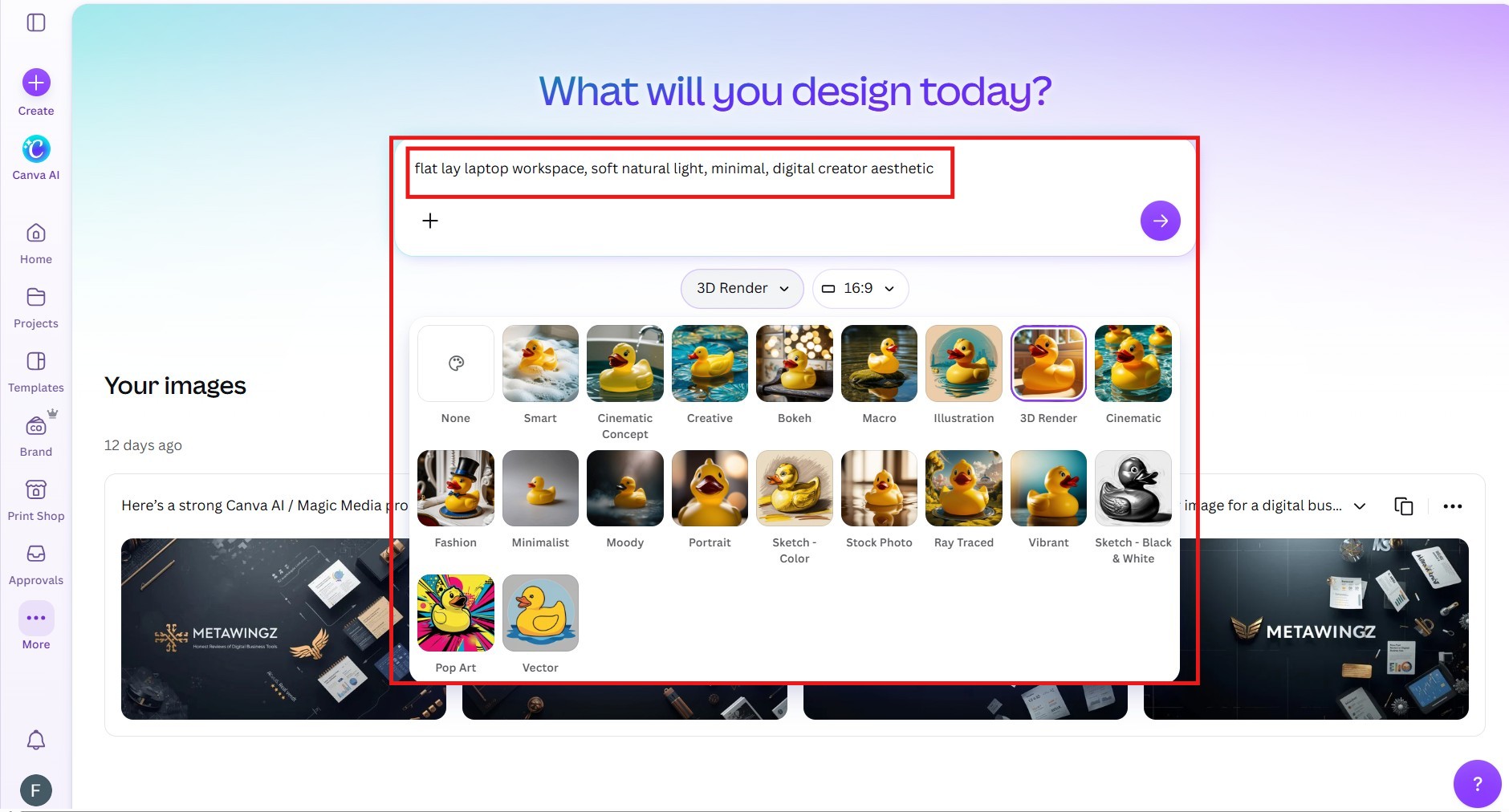
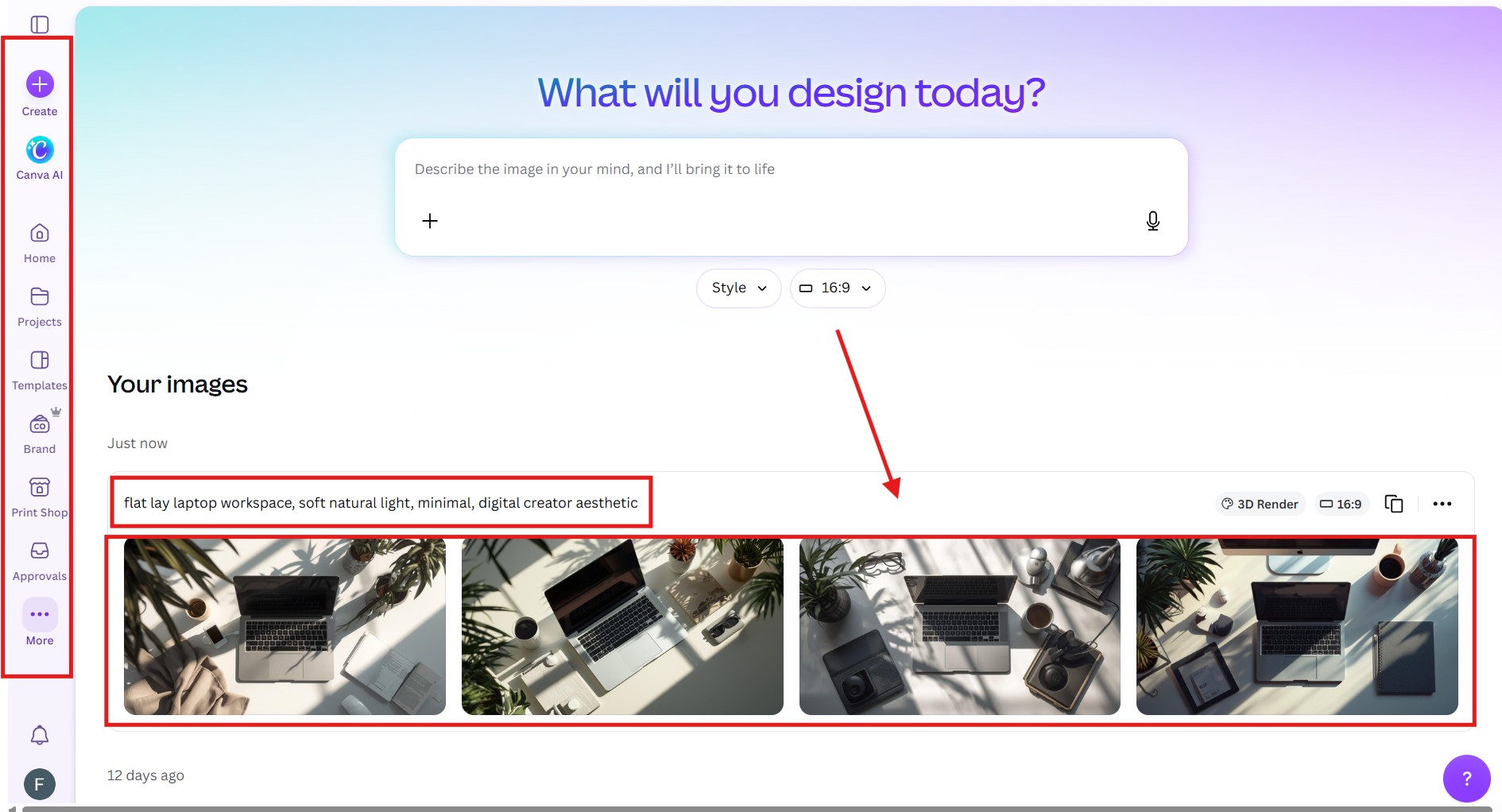
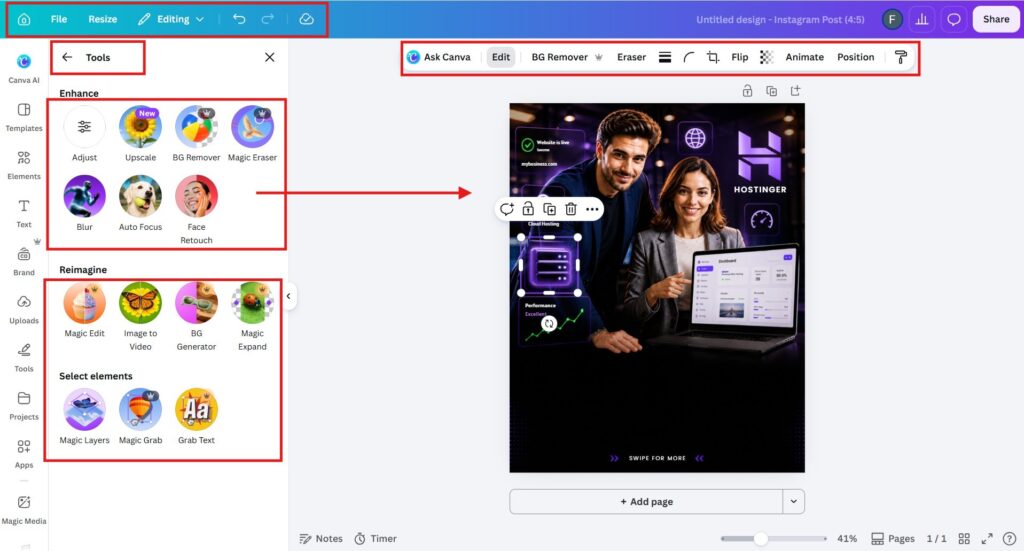
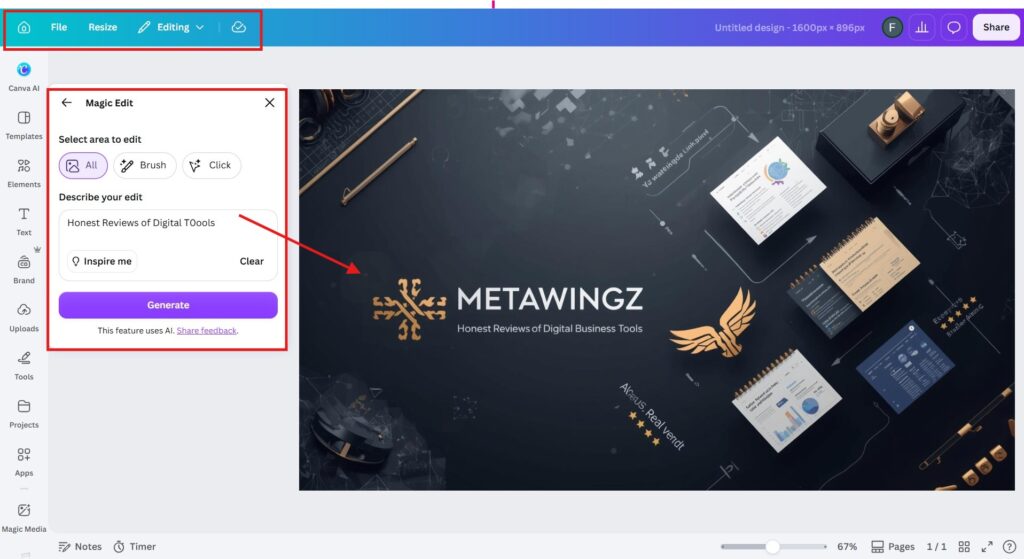
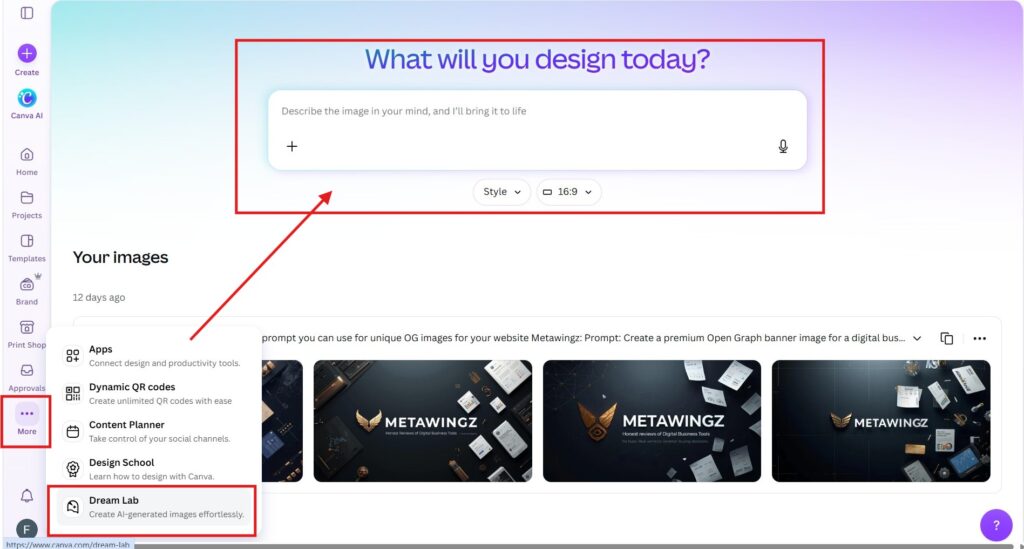
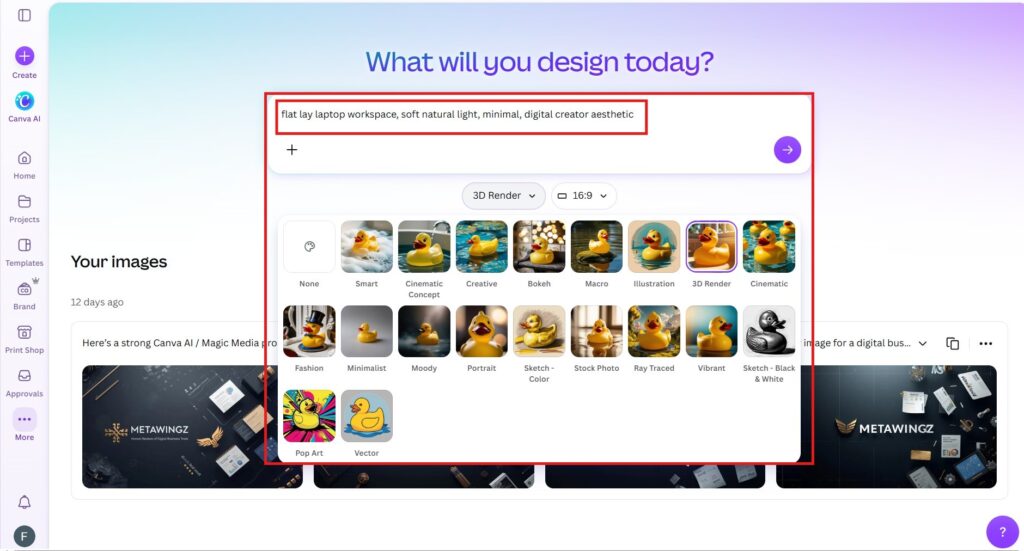
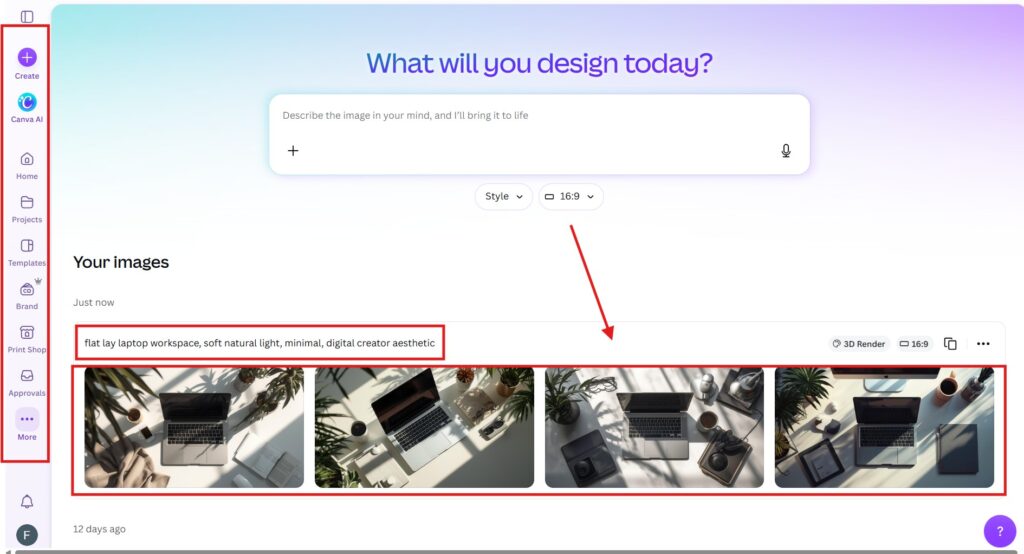
Canva Free includes limited Magic Studio access -- around 50 AI credits/month and approximately 20 lifetime Dream Lab image generations.
Pro unlocks approximately 500 AI credits/month, full Magic Eraser, Magic Resize, and Background Remover. Pro costs $18/month or $144/year. No separate AI subscription required.
Pros
Free users get real (limited) Dream Lab access -- not completely locked out of AI
Pro 500 AI credits/month resets monthly -- sufficient for most regular creators
Magic Resize saves hours for multi-platform content creators each week
No separate AI subscription needed -- Magic Studio is included in standard Pro
Cons
Free Dream Lab allowance (~20 lifetime) depletes permanently -- cannot top up
Pro AI credits do not roll over month to month -- unused credits are lost
Some AI features deplete credits unpredictably -- hard to budget monthly usage
Credit limits changed without announcement in 2026 -- verify before committing
An independent, fact-checked breakdown of Canva Magic Studio free vs Pro · Last verified May 2026 ·
You opened Canva to try the AI tool everyone is posting about, and three clicks in you hit a credit limit you did not know existed.
Magic Studio is Canva’s headline feature now — Magic Write, Magic Eraser, Dream Lab, the lot. You have seen the demos and want to use them, but you cannot tell which ones are genuinely free and which quietly run out after a handful of tries. So you are weighing Canva Magic Studio free vs Pro, and every article just gushes about the AI without ever telling you the actual limits.
The real question is simple: which Magic Studio free vs Pro decision is simple: Which tools will you actually be able to use on the free plan before you hit a wall — and is the AI alone worth $144 a year? Most pages dodge this because the numbers change and verifying them is work.
This Canva Magic Studio free vs Pro breakdowndoes the work. You will get a complete tool-by-tool table, the real free credit limits, three direct answers on the most-searched tools, and an honest verdict on whether Magic Studio alone justifies Pro — all checked against Canva’s own Help Centre in May 2026.
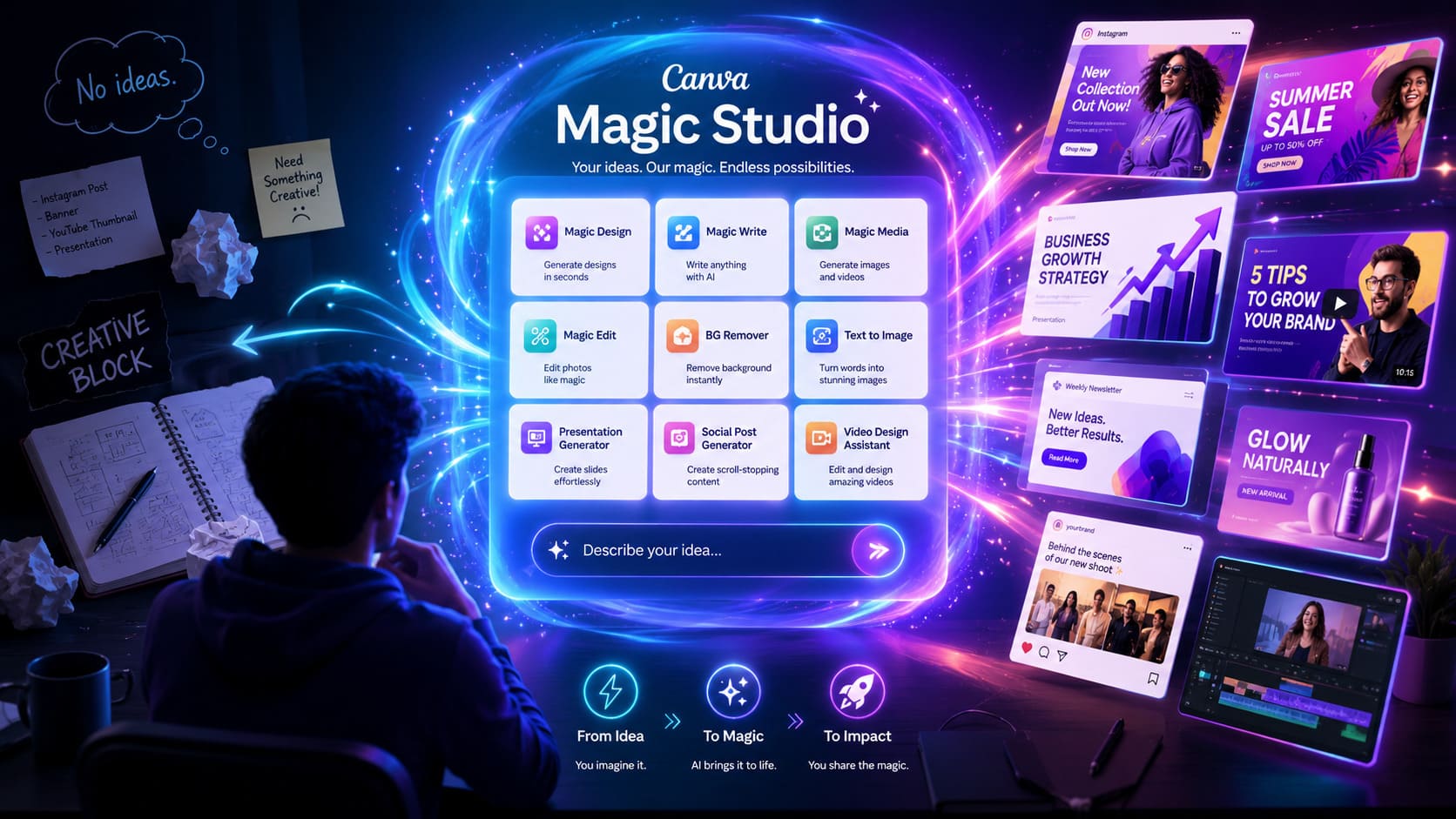
Canva Magic Studio is the suite of AI tools inside Canva, and the free vs Pro difference is mostly about usage limits, not which tools exist.
Free plan users get small, often one-time allowances — roughly 25 Magic Write uses and 20 lifetime Dream Lab generations — then the tools lock until you upgrade.
Magic Eraser, Magic Resize, and the Background Remover are effectively Pro features; free users get only basic editing.
Canva Pro provides far larger monthly AI allowances (around 500 credits a month) that reset monthly and do not roll over.
Dream Lab, Canva’s AI image generator, gives free users about 20 lifetime images; serious image generation requires Pro. Treat the free AI tools as a trial, not a workflow.
Canva Pro costs $18/month or $144/year and includes a 30-day free trial to test every Magic Studio tool before paying.
Magic Studio is worth upgrading for only if you use AI tools weekly — occasional users rarely exhaust the free limits.
What Is Canva Magic Studio? (The 2026 Answer)
Canva Magic Studio is the suite of AI-powered tools built into Canva — including Magic Write, Magic Eraser, Magic Resize, Dream Lab, and Magic Grab — available across the free and Pro plans with different usage limits.
Launched in 2023 and expanded heavily through 2026, Magic Studio is not a single feature but an umbrella brand covering every AI tool inside Canva. When people debate Canva Magic Studio free vs Pro, they are really asking how much of this AI suite they can use without paying.
The important Canva Magic Studio free vs Pro 2026 reality is that most Magic Studio tools technically appear on both plans — the free plan does not hide them, it meters them. You see the tool, you try it, and then a credit counter or an upgrade prompt stops you. Understanding those meters is the whole game.
Every Canva Magic Studio Feature: The Complete 2026 List
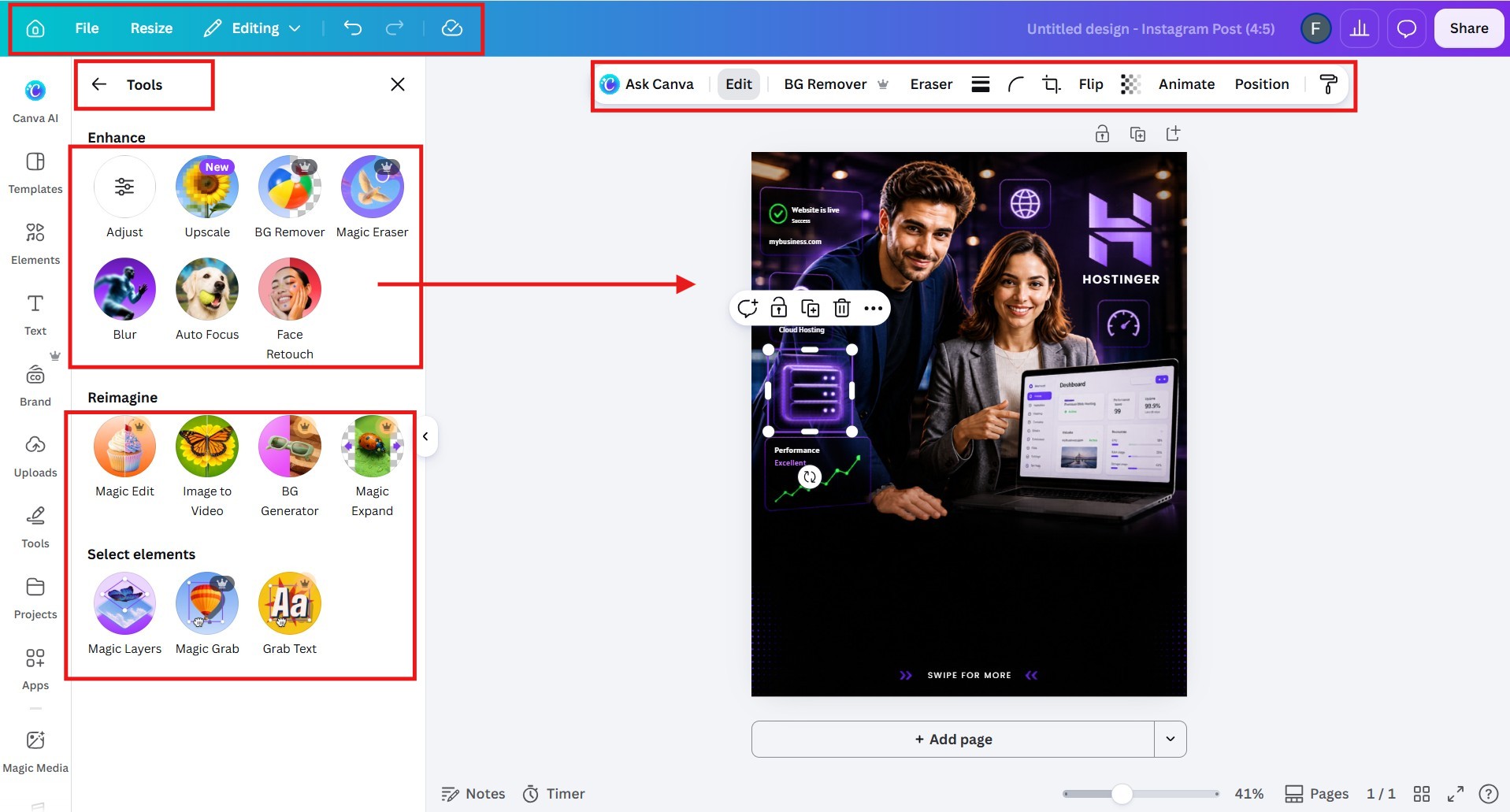
Canva offers around a dozen Magic Studio AI tools in 2026, of which only a few are genuinely usable on the free plan — most are metered to small trial allowances or reserved for Pro.
This is the reference table to bookmark for any Canva Magic Studio free vs Pro decision. The free-limit column is the honest part: a tool marked “limited” is usable only until its small allowance runs out. Figures verified against Canva’s Help Centre, May 2026 — confirm before relying on them, as Canva adjusts these often.
Magic Studio tool
What it does
Free plan
Canva Pro
Magic Write
AI text and copy generation
Limited (~25 uses)
~250/month
Magic Eraser
Erase objects from photos
Pro
Unlimited
Background Remover
One-click background removal
Pro
Unlimited
Magic Resize
Reformat a design to any size
Pro
Unlimited
Dream Lab
AI image generation
Limited (~20 lifetime)
~500/month
Magic Edit
Replace parts of an image
Limited
Higher limit
Magic Expand
Extend an image beyond its frame
Limited
Higher limit
Magic Grab
Lift and move objects in a photo
Limited
Higher limit
Magic Morph
Transform text and shapes
Limited
Higher limit
Magic Animate
Auto-animate a design
Limited
Higher limit
Translate
Translate text in a design
Limited pages
More pages
“Pro” means free users get only basic functionality, not the AI version. All AI tools draw on a shared monthly credit pool on Pro (~500 credits) that resets monthly and does not roll over — Source: Canva Help Centre, 2026.
Canva Magic Studio Free Plan: What You Actually Get
On the free plan, Canva AI features in 2026 come as small trial allowances: roughly 25 Magic Write uses and about 20 lifetime Dream Lab images, while Magic Eraser, Magic Resize, and the Background Remover stay locked behind Pro.
Here is the honest shape of canva ai features free plan 2026 access. In the Canva Magic Studio free vs Pro comparison, The free tier is best understood as a tasting menu — enough to see what each tool does, not enough to build a workflow on. Canva Magic Write gives free plan users a limited number of uses, after which the feature requires a Canva Pro subscription to continue.
The free Dream Lab allowance is the one that surprises people. Free users get roughly 20 lifetime image generations — not per month, total. Once those are gone, AI image generation stops until you upgrade. That single number reframes the whole canva magic studio free vs pro question for anyone whose use case is AI images.
Magic Write behaves similarly. The free allowance — commonly cited as around 25 uses — disappears quickly; a single long-form drafting session can exhaust it. After that, the canva magic write free experience becomes an upgrade prompt. Canva has described this limit as both lifetime and monthly across its own materials, so check your account’s current figure before planning around it.
The 4 Magic Studio Tools That Change Everything on Pro
The four Magic Studio tools that most justify Canva Pro are the Background Remover, Magic Resize, Dream Lab, and Magic Eraser — the features that go from locked or trial-only to genuinely unlimited.
1. Background Remover — locked to unlimited
The Background Remover deletes a photo’s background in one click, and it is the single most-missed tool on the free plan. On Pro it is unlimited. For anyone making product shots, thumbnails, or clean headshots, this alone is a daily-use feature that changes the canva magic studio free vs pro calculation instantly.
2. Magic Resize — the biggest time-saver
Magic Resize is the most commercially impactful Canva Pro AI feature, reformatting one design for every social platform in a single click. Free users rebuild each size by hand. For a multi-platform creator, Magic Resize saves two to three hours a week — the clearest Canva Magic Studio free vs Pro justification for upgrading.
3. Dream Lab — 20 free images, then Pro
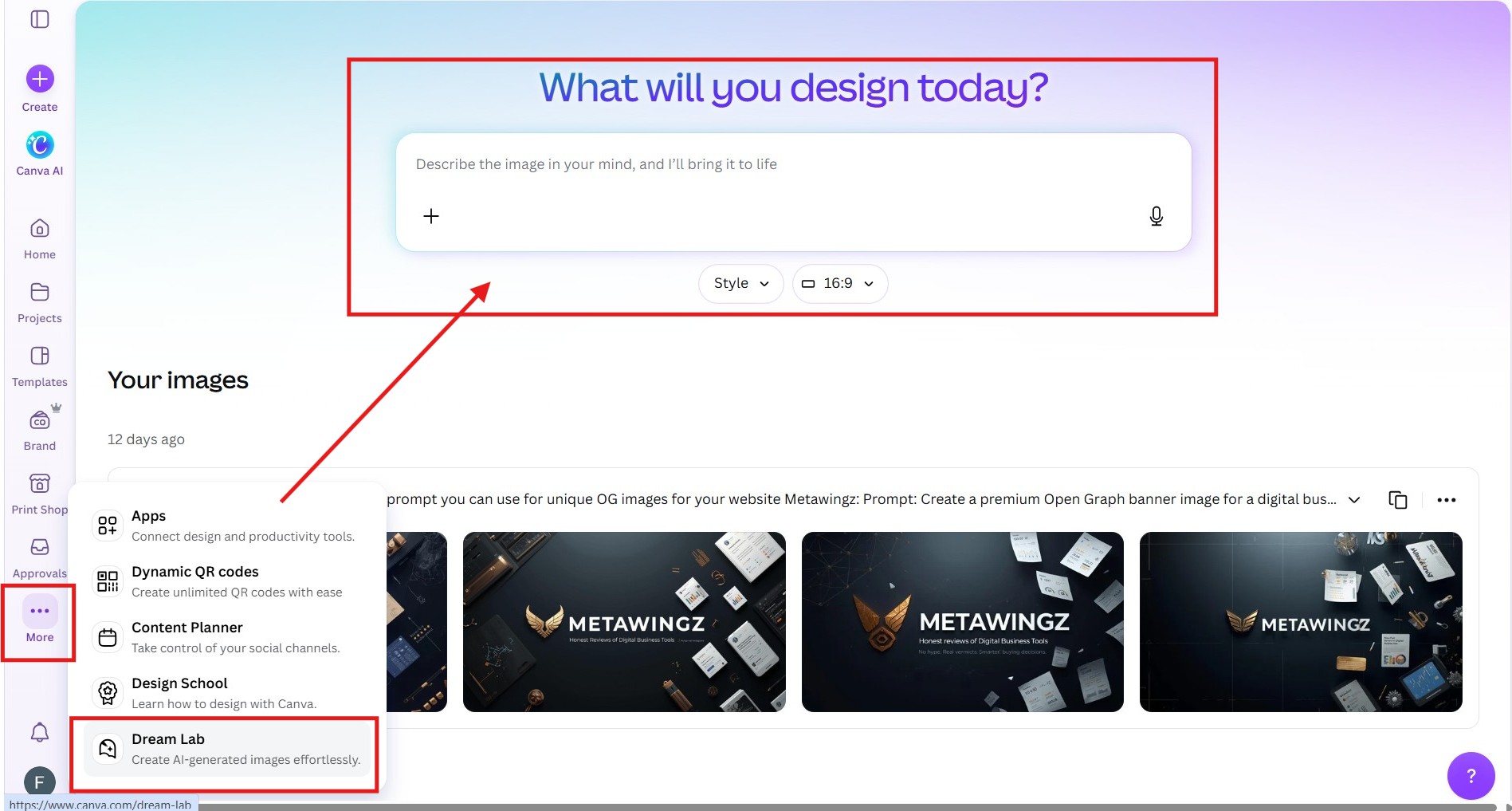
Dream Lab is Canva’s AI image generator, and Pro lifts it from about 20 lifetime images to roughly 500 a month. If your work leans on generated visuals, the free allowance is a weekend of experimenting at most. The canva dream lab free plan is a trial; Pro is the working version.
4. Magic Eraser — basic to unlimited
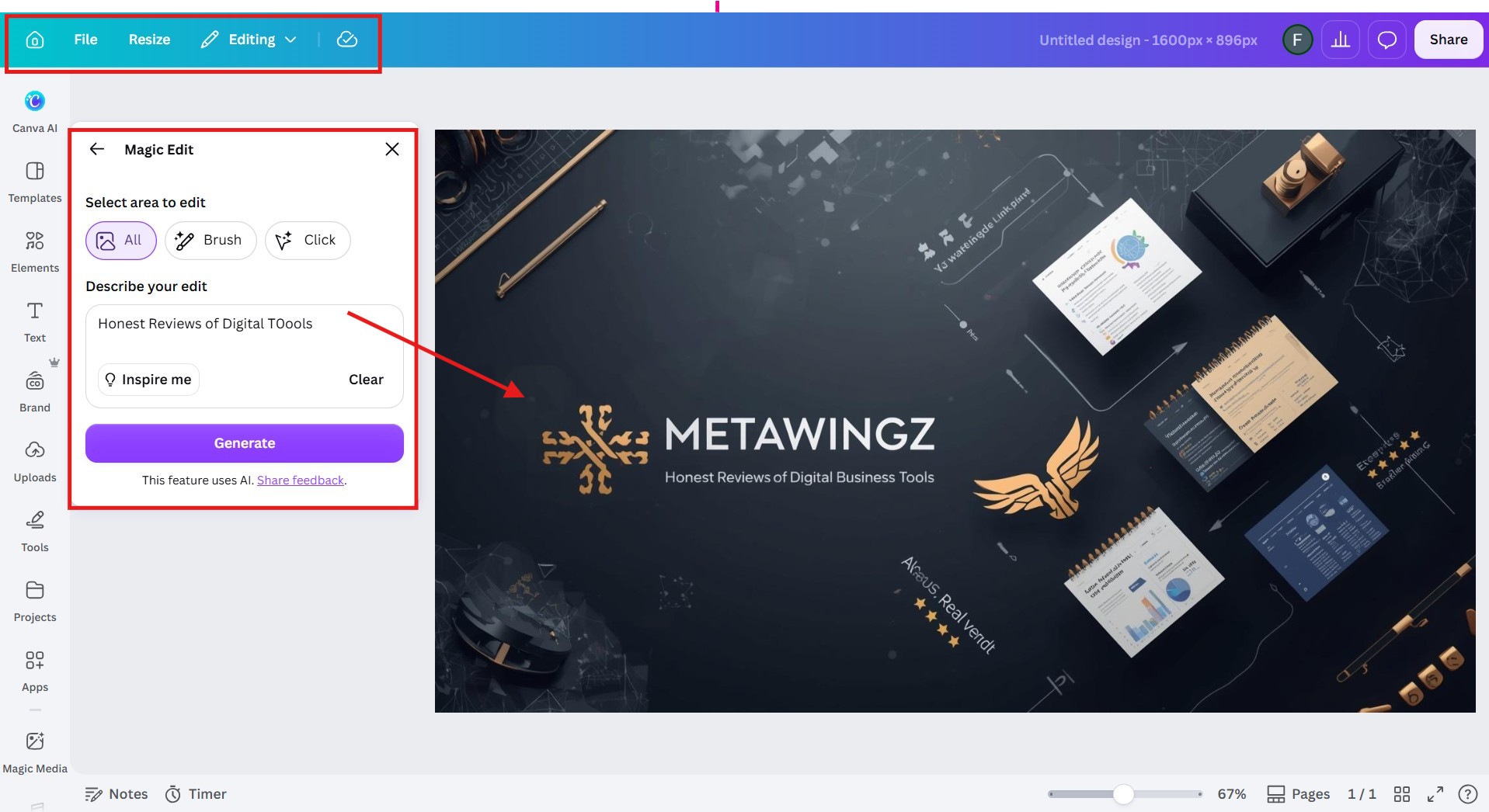
Magic Eraser removes unwanted objects from a photo, and on the free plan you get only basic editing rather than the AI eraser. On Pro it is unlimited. The honest answer to magic eraser canva free or paid is that the genuinely useful version is paid.
Magic Eraser, Magic Write, Dream Lab: Free or Pro?
Here are the direct answers: Magic Eraser is effectively Pro, Magic Write is limited-free then Pro, and Dream Lab gives about 20 free lifetime images before requiring Pro.
Is Magic Eraser free or paid in Canva?
Magic Eraser is a Canva Pro feature. The answer to magic eraser canva free or paid is that free accounts get only basic image editing, while the one-click AI object eraser requires Pro. If removing objects from photos is part of your workflow, the free plan will not cover it.
Is Magic Write free on Canva?
Canva Magic Write is free with a small allowance, then Pro. The canva magic write free limit is commonly cited at around 25 uses, after which the tool locks until you upgrade. It is enough to test the feature, not enough to draft regular content.
Is Dream Lab available on the free plan?
Dream Lab is available on the free plan with roughly 20 lifetime generations, then requires Pro. This corrects a common claim that Dream Lab is Pro-only — free users do get a small trial, but the canva dream lab free plan allowance is one-time, not monthly, and Pro raises it to about 500 images a month.
How the Canva Magic Studio Credit System Works
Magic Studio runs on a credit system: each AI action spends credits from a monthly pool, with free users getting tiny allowances and Pro users getting around 500 credits a month that reset and do not carry over.
Understanding credits is what makes the canva magic studio free vs pro choice concrete. On Pro, generating an image, erasing a background, or expanding a photo each draws from the same monthly allowance. Most individual creators never come close to exhausting 500 credits, so for them Pro feels effectively unlimited.
Free users operate differently. Their allowances are small and, for tools like Dream Lab, one-time rather than monthly. There is no rollover on either plan — unused Pro credits vanish at month end — so the system rewards steady use, not hoarding. Knowing this stops the nasty surprise of a tool locking mid-project.
The practical takeaway: if you use AI tools in bursts a few times a year, the free credits may genuinely be enough. If you use them most weeks, you will hit the free ceiling fast and the Pro pool is what you are really paying for.
A quick worked example shows the gap. Generating ten product images in Dream Lab spends half your free lifetime allowance in one sitting; on Pro, the same ten images barely dent a 500-credit month. That is the difference between a tool you can plan around and one you ration nervously — and for AI-heavy work, the pricing detail in the ‘canva pro pricing 2026’ guide turns this into a clear yes or no.
Is Canva Magic Studio Free vs Pro the Real Reason to Upgrade?
Canva Magic Studio is the real reason to upgrade to Pro if you use AI tools weekly — background removal, resizing, or image generation — but not if you mainly want templates and a Brand Kit, which have their own justifications.
For content creators who use AI image generation or background removal daily, the Canva Magic Studio free vs Pro case is settled: Magic Studio is the primary is the primary justification for a Pro subscription. The unlimited Background Remover and Magic Resize alone repay the $144 a year in saved time within the first week of heavy use.
But be honest about your usage. If you came to Canva for premium templates and brand consistency, Magic Studio is a bonus, not the deciding factor — and the canva magic studio free vs pro question matters less than the template and ‘Canva Brand Kit free plan‘ comparison. Do not pay for AI you will open twice a year.
The contrarian truth: the free Magic Studio allowances exist precisely to show you what you are missing. That is smart product design, not a scam — but it means the upgrade decision should rest on measured weekly usage, not on the excitement of a first try.
A simple test settles it: over one normal week, count how many times you would reach for an AI tool if it were unlimited. Five or more and the canva magic studio free vs pro maths favours Pro comfortably. One or two and the free allowances, topped up with the occasional manual workaround, will carry you for now.
Who Should Upgrade to Canva Pro for Magic Studio
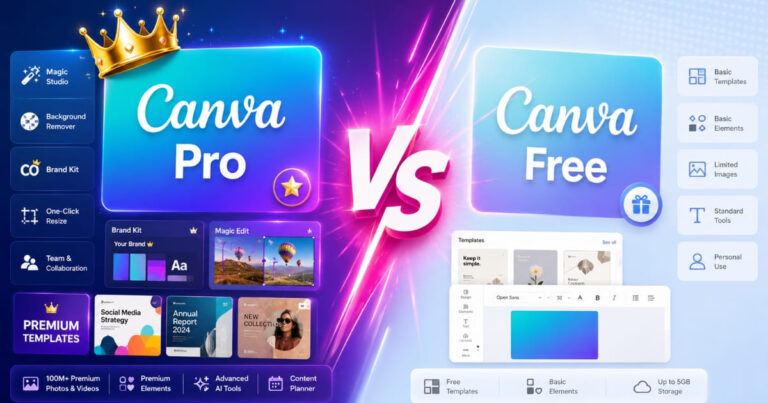
Canva Magic Studio free vs Pro – Upgrade if you are a daily multi-platform creator, a weekly AI writer, or an AI-image user; stay free if your AI use is occasional or templates are your real need.
Reader profile
Verdict
Reason
Daily multi-platform content creator
PRO (Magic Resize)
Magic Resize saves 2–3 hours a week; unlimited access repays $144/year in week one.
Blogger or writer needing AI copy
PRO (Magic Write)
The ~25 free uses are gone in 2–3 drafts; Pro’s ~250/month supports weekly output.
Visual creator wanting AI images
PRO (Dream Lab)
Dream Lab free is ~20 lifetime images; there is no free route to ongoing generation.
Occasional designer, light AI use
FREE PLAN OK
Light users may never hit the monthly ceiling. Start free, upgrade when you do.
User who only wants premium templates
MAGIC STUDIO NOT THE REASON
Decide on templates and Brand Kit instead — many templates you need may be free.
In plain English: Magic Studio earns the upgrade for heavy weekly AI users and almost no one else on AI alone. If you only dabble, ride the free allowances and revisit when they run dry.
And remember the honest framing this whole article rests on: in the canva magic studio free vs pro decision, the tools are the same on both plans — you are buying volume, not access. Whether that volume is worth $144 a year is a question only your own weekly usage can answer, which is exactly why the 30-day trial exists. Use it, count your real usage, and let the number decide.
Weighing the whole plan, not just AI? See the full Canva Free vs Pro feature comparison.
Canva Magic Studio Free vs Pro: The 30-Day Trial Strategy
The smartest way to settle the Canva Magic Studio free vs Pro question is the 30-day Pro free trial, which gives you full, unlimited access to every AI tool so you can measure real usage before paying.
Canva Pro includes a 30-day free trial with no charge if you cancel in time — Source: Canva pricing page, 2026. For AI tools specifically, this trial is more useful than any review, because it replaces guesswork about credit limits with your own behaviour.
Use it deliberately. For 30 days, run your normal work through Magic Studio and notice which tools you actually reach for — Background Remover, Magic Resize, Dream Lab, Magic Write. If you lean on AI tools most weeks, the canva magic studio free vs pro decision resolves itself in favour of Pro. If you barely touch them, cancel and keep the small free allowances.
One caution: the trial resets your perception, not the free limits. Once you downgrade, Dream Lab drops back to its roughly 20 lifetime images and Magic Write to its small cap. Plan around the free numbers, not the trial experience, if you intend to stay free. For the full plan-level picture, see the “canva free vs pro 2026” comparison.
What Magic Studio Free Can Actually Build (3 Realistic Uses)
On the free plan, Magic Studio is genuinely useful for three things: testing AI copy with Magic Write, generating a handful of Dream Lab images for a one-off project, and translating short pieces of text.
1. A one-off AI copy draft
With roughly 25 Magic Write uses, a free user can draft captions or a short post outline before the allowance runs out. It is enough to test whether AI copy fits your voice, not enough for weekly content. Treat it as a sample, not a system.
2. A small batch of AI images
Dream Lab’s roughly 20 lifetime free generations are perfect for a single project — a one-time set of social graphics or a mood board. Once they are gone they do not return without Pro, so spend them on something that matters rather than idle experiments.
3. Quick translation of short text
Canva’s free Translate allowance covers a limited number of pages, which is fine for a single flyer or post in another language. For ongoing multilingual work, the free limit arrives quickly and Pro becomes necessary.
The pattern across all three is the same: the free tier of canva ai features free plan 2026 is a capable trial for one-off needs and a poor fit for anything recurring. That distinction is the heart of the upgrade decision.
Magic Studio vs Other AI Design Tools in 2026
Compared with standalone AI tools, Canva Magic Studio’s advantage is that the AI lives inside the design editor — you generate, erase, and resize without exporting to another app, which is why many creators tolerate its credit limits.
Rivals like Adobe Express and dedicated image generators may match or beat individual Magic Studio tools on raw quality, but they fragment the workflow. Canva’s bet is convenience: good-enough AI in the same canvas where you already design. For most solo creators and small businesses, that integration outweighs a marginally better standalone generator.
Where Magic Studio loses is heavy, specialised AI work — high-volume image generation or advanced editing — where a purpose-built tool and its pricing make more sense. The canva magic studio free vs pro choice, then, sits inside a bigger question: do you want one tool that does everything adequately, or several that each do one thing brilliantly? For the all-in-one camp, Pro is the natural home, and you can weigh the wider value in the “canva pro review“.
Canva Magic Studio Free vs Pro: FAQ
Q1: Is Canva Magic Eraser free or Pro only?
Canva Magic Eraser is effectively a Pro feature. Free accounts get only basic image editing, not the one-click AI object eraser. Verify the exact current access on Canva’s Help Centre, as Canva adjusts these limits periodically.
Q2: How many Magic Write uses do you get on Canva Free?
Canva Magic Write gives free users a small allowance, commonly cited at around 25 uses. Once the limit is reached the tool locks until you upgrade to Pro. Canva has described this as both a lifetime and monthly cap, so check your account’s current figure.
Q3: Is Canva Dream Lab available on the free plan?
Yes, with about 20 lifetime generations. Dream Lab is available to free users for a small one-time allowance, after which AI image generation requires Canva Pro, which provides roughly 500 generations per month.
Q4: What is the Magic Studio credit system and how does it work?
Magic Studio credits are spent each time you use an AI tool. Free users get small allowances; Pro users get a far larger monthly pool (around 500 credits) that resets each month and does not roll over.
Q5: Does Canva Magic Resize work on the free plan?
No. Magic Resize, which reformats a design to different platform dimensions automatically, is a Canva Pro feature. Free users must resize manually by creating new versions.
Q6: Do Canva Pro AI credits roll over each month?
No. Canva Pro’s monthly AI credits (around 500) reset at the start of each billing month and do not roll over. Unused credits are lost, so the system rewards steady use rather than saving them up.
Q7: Is Canva Magic Studio worth it just for the AI?
Canva Magic Studio is worth Pro for the AI alone only if you use tools like Magic Resize, the Background Remover, or Dream Lab weekly. For occasional AI use, the free allowances are usually enough and the upgrade is better justified by templates or Brand Kit.
Sangeetha Vishnu is a Digital Product Reviewer and Affiliate Marketer with 4 years of experience exploring affiliate marketing, digital products, AI tools, and software across multiple platforms and affiliate programs.
I research, purchase, and test the products I review before sharing my honest experience. My goal is to help entrepreneurs, marketers, creators, and beginners understand what a product actually does, who it’s for, and whether it’s worth investing in.
I also share practical insights on affiliate marketing, AI tools, SEO, and online business. My guiding principle is simple: “Authority, Built On Clarity.” I believe honest reviews and transparent recommendations build lasting trust.