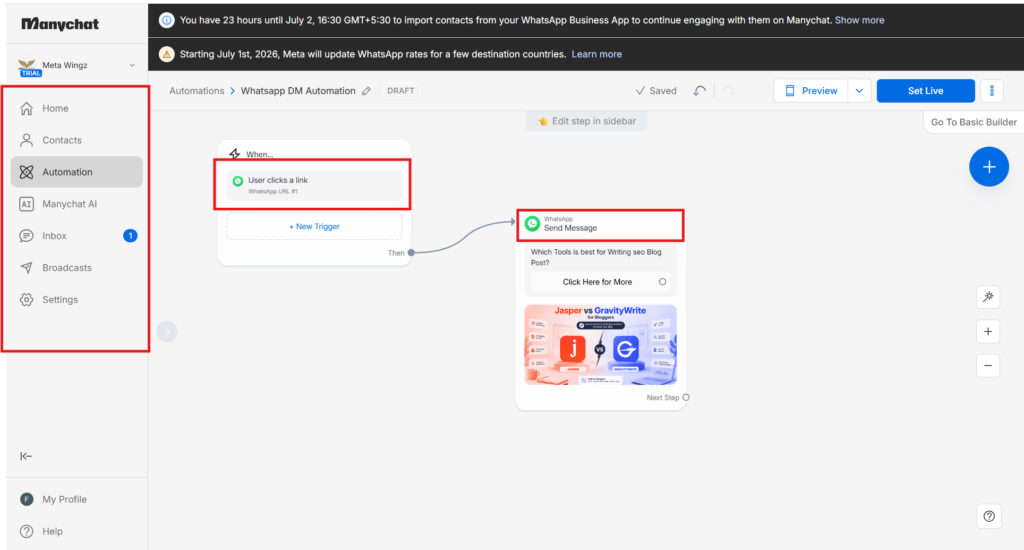
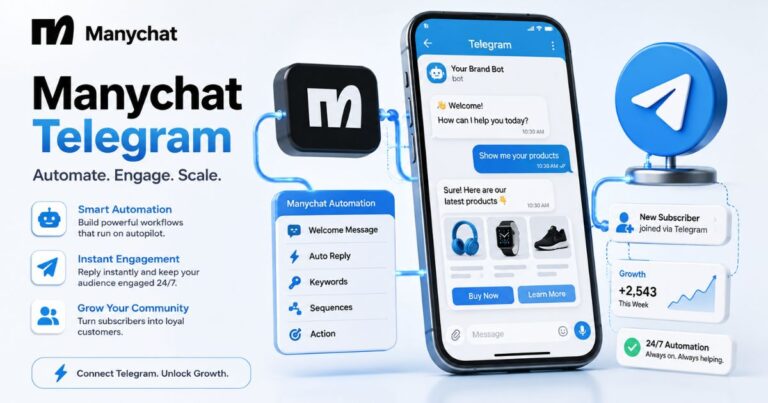
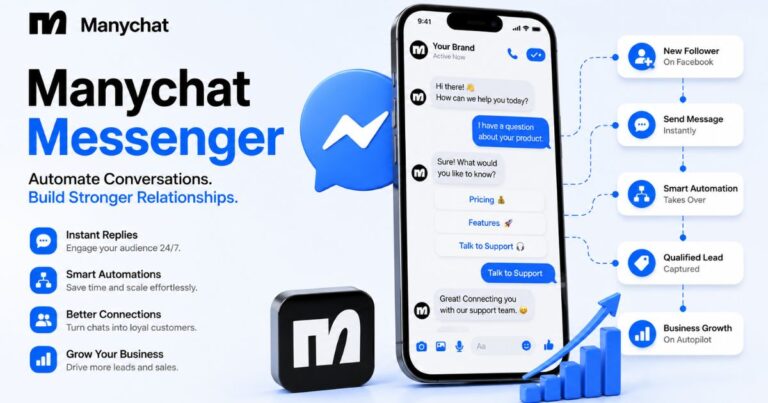
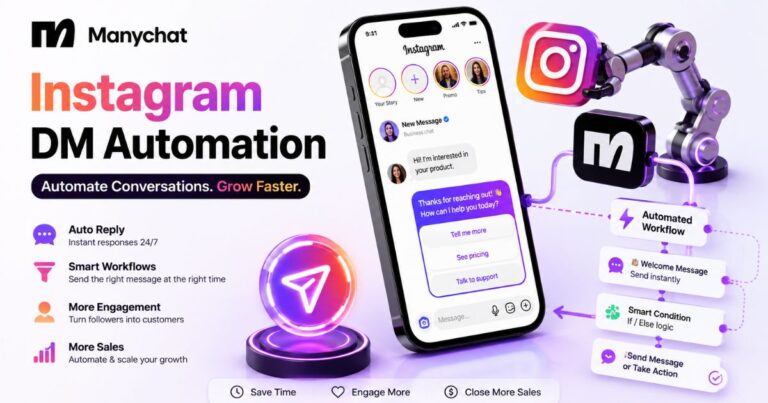
Manychat's WhatsApp API 2026 connects Manychat's flow builder to Meta's WhatsApp Business Platform, letting businesses automate WhatsApp conversations the same way they already automate Instagram and Messenger.
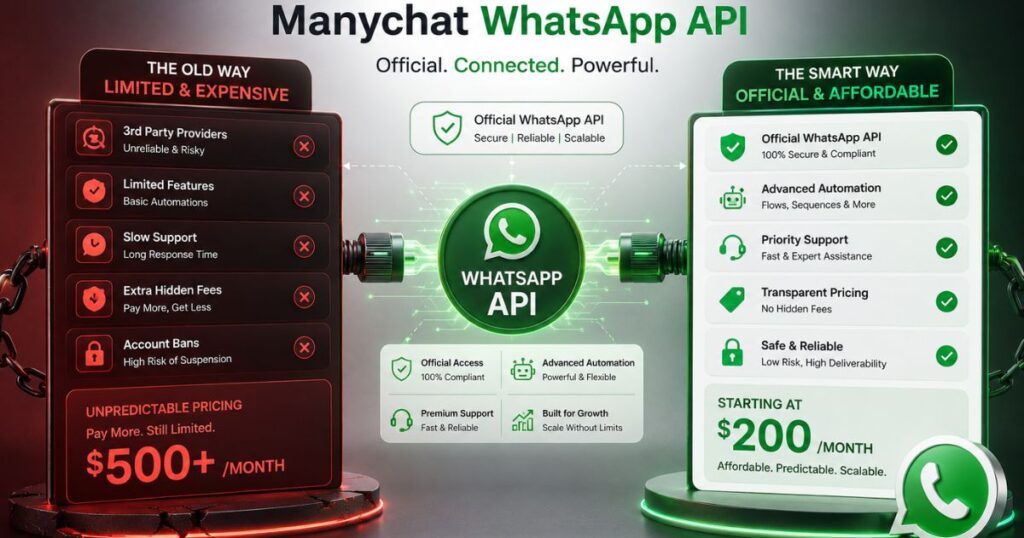
It requires at least the Pro plan ($29/month), Facebook Business verification, and Meta-approved message templates before anything can send. Standout feature: building multi-step WhatsApp flows visually, without writing API code. Biggest limitation: Manychat WhatsApp API 2026 locks free-form messaging after 24 hours of customer inactivity — you need a Meta-approved template to reopen the conversation window, unlike Instagram or Messenger where re-engagement is more flexible. Pricing isn't the $200/month some forum posts claim — it starts at $29, plus Meta's separate per-message fees on top.
Specs
Platform support: Web-based; connects via Meta's WhatsApp Business Platform
Minimum plan for WhatsApp: Pro — $29/month (or $24/month billed annually)
Free plan availability: No — WhatsApp is not included on Free or Essential
Key integrations: Meta WhatsApp Business Platform, Instagram, Messenger, Telegram
Pros
Visual flow builder replaces custom API code for non-developers
Existing WhatsApp Business numbers transfer over directly
API access included from Pro through Advanced, not gated to an enterprise-only tier
Cons
Free-form messaging locks after 24 hours of customer inactivity — Manychat WhatsApp API 2026 requires a Meta-approved template to reopen the window.
Two separate bills (Manychat + Meta) make true cost harder to predict
Verification and template approval run on Meta's timeline, not Manychat's
Manychat WhatsApp API 2026 connects through Meta’s WhatsApp Business Platform and requires the Pro plan ($29/month) or higher — not the $200-equivalent tier a popular forum thread claims. Setup requires Facebook Business verification and Meta-approved message templates, and the real monthly cost includes both Manychat’s subscription and Meta’s separate per-message fees. The API also can’t send images through WhatsApp specifically, a real limitation worth knowing before you build around it.
You finally got Facebook Business verification approved, connected your number, and built your first WhatsApp flow in Manychat — only to find a follow-up message failed to deliver the next morning, because the customer had gone quiet for over 24 hours and Manychat WhatsApp API 2026 requires a Meta-approved template once that session window closes.
You’ve been running Instagram DMs through Manychat for months, and WhatsApp looked like the obvious next channel — your customers already message you there anyway. You read a forum post claiming the Manychat WhatsApp API 2026 sits behind a $200-a-month plan, so you almost didn’t bother checking further. Then you found the real number, connected your number, and started building. A few days into setup, you hit a wall nobody mentioned on the sales page.
The real questions aren’t answered by Manychat’s pricing page alone: what does Manychat WhatsApp API 2026 access actually cost once Meta’s own fees are added, and what can’t it do once you’re relying on it daily? Most articles repeat the plan price and stop there.
This article walks through the real cost, the setup steps Meta requires before anything sends, and the specific limitations that catch people mid-build. By the end, you’ll know whether it’s worth setting up for your specific use case — not just what the marketing page says.
Manychat WhatsApp API 2026 access starts on the Pro plan at $29 a month, not the $200 figure circulating in community forums.
Facebook Business verification is a mandatory one-time step required by Meta, not an optional Manychat setting.
Free-form messaging through Manychat WhatsApp API 2026 locks after 24 hours of customer inactivity — you need a Meta-approved template to reopen the conversation window.
Messaging limits follow Meta’s four-tier system, scaling from 1,000 to unlimited unique contacts per 24 hours based on account quality.
Manychat and Meta invoice separately — the Manychat subscription and Meta’s per-template messaging fees never appear on the same bill.
Existing WhatsApp Business numbers can connect directly to Manychat without provisioning a new number, as long as it isn’t already linked to the standalone WhatsApp Business app.
Message templates require Meta’s pre-approval before they can reach a new contact, and rejected templates block sending until resubmitted.
Disclaimer : I strongly believe in transparency. Some links on this website are affiliate links, which means I may earn a small commission if you purchase through them — at no extra cost to you. This helps support the work I do and allows me to continue creating honest reviews, tutorials, and creator-focused content.
Is Manychat’s WhatsApp API 2026 Pricing Really Locked Behind a $200 Plan?
No — Manychat’s WhatsApp API Pricing 2026 is available starting on the Pro plan at $29 a month, not a separate $200 tier. That confusion has been sitting in Manychat’s own community forum for months, where a user asked almost this exact question after the platform’s pricing restructure earlier this year and never got a clear answer.
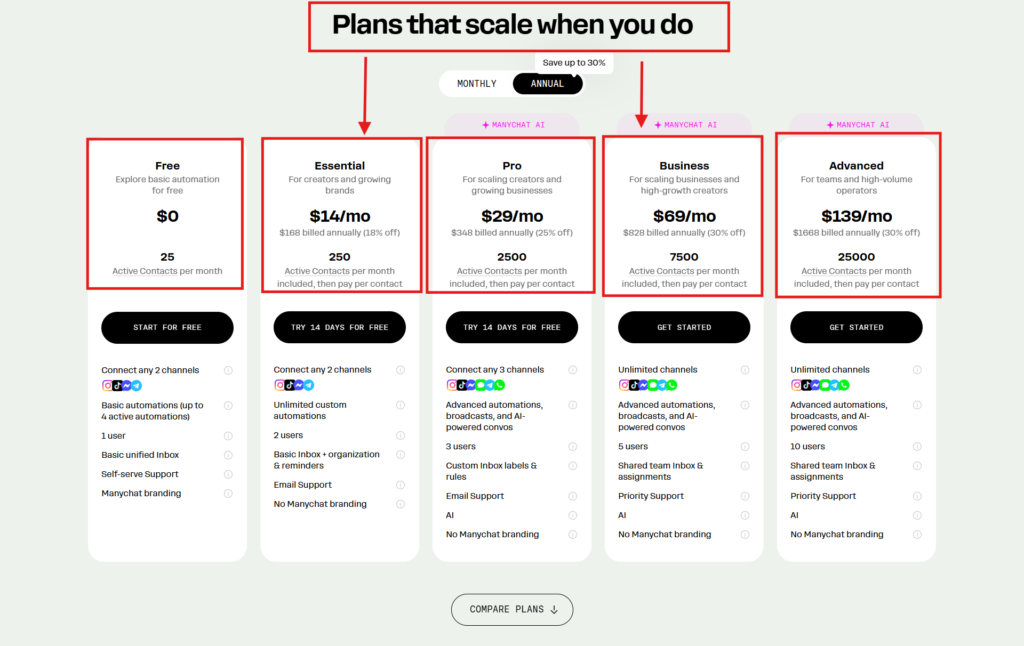
Manychat moved to a five-tier pricing model in 2026: Free, Essential, Pro, Business, and Advanced. WhatsApp as a channel — along with the API access that comes with it — only unlocks starting at Pro. Free and Essential cover Instagram and Messenger automation, but neither one includes WhatsApp at all, which is likely where the $200 myth started: people assumed WhatsApp lived behind a much higher tier because it wasn’t available on the cheaper plans.
“Manychat’s WhatsApp API 2026 requires the Pro plan at $29 a month.”
Manychat Free Plan 2026 article covers exactly what you get without paying anything, and WhatsApp isn’t part of it. If your business runs primarily through Instagram or Messenger, this distinction matters before you start comparing plans on price alone.
What Manychat Plan Do You Actually Need for WhatsApp?
You need at least the Pro plan, which starts at $29 a month, to use Manychat’s WhatsApp API 2026 at all. There’s no way to test the Manychat WhatsApp API 2026 on a free trial of a lower tier first — the channel is either available on your plan or it isn’t.
Pro includes 2,500 contacts, up to three inbox seats, and WhatsApp with API access. Business steps up to $69 a month for 7,500 contacts and unlimited channels, and Advanced reaches $139 a month for 25,000 contacts. None of the tiers above Pro change whether WhatsApp works — they change how many contacts and team seats you get.
If your automation only needs Instagram or Messenger, Manychat pricing/plan comparison piece at $17 a month covers that without paying for a WhatsApp connection you won’t use. The jump to Pro only makes sense once WhatsApp is actually part of the plan.
Can You Keep Your Existing WhatsApp Number When You Connect Manychat?
Yes — Manychat connects to a WhatsApp number you already use for business through Meta’s WhatsApp Business Platform, so you don’t need to provision a new one. The only requirement is that the number isn’t currently tied to the standalone WhatsApp Business app, since Meta won’t let the same number run on both at once.
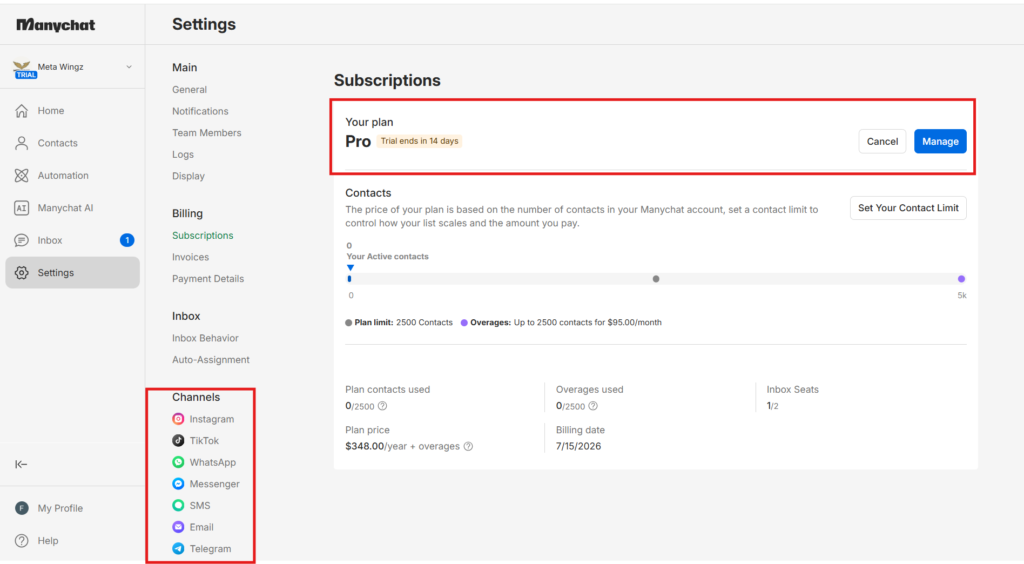
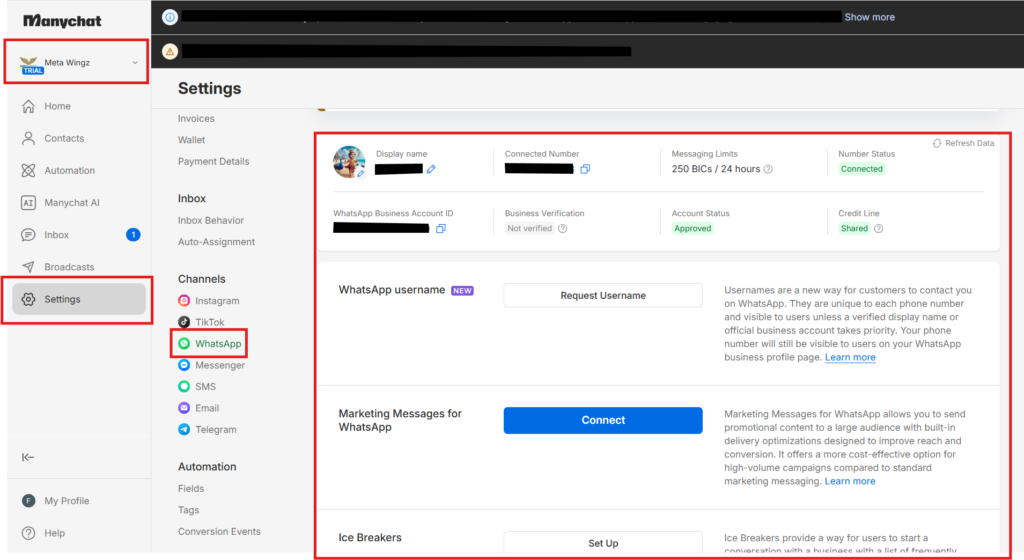
Setup happens inside Manychat’s Settings → Channels → WhatsApp menu, where you connect the number through Meta’s verification flow rather than typing in a phone number directly. If you don’t have a dedicated business number yet, Manychat can help provision one during the same setup screen.
“A number already running the standalone WhatsApp Business app must be disconnected before it can connect to Manychat’s API.”
This is the same connection process Instagram and Messenger automation uses for other channels, just routed through Meta’s business verification instead of a simple login.
Why Does Your Manychat Bill Show Up Separately From Meta’s WhatsApp Charges?
Manychat and Meta bill independently for the Manychat WhatsApp API 2026 — your Manychat subscription covers the platform itself, while Meta charges its own per-template message fee on top, billed separately by country and message category.
This catches a lot of first-time users off guard. You budget for the $29 Pro plan, then a month later see a second charge from Meta you didn’t plan for. The per-template fee structure replaced Meta’s older per-conversation pricing, and rates differ by country, so a business messaging customers in the US pays a different rate than one messaging customers in India.
“Manychat’s subscription and Meta’s WhatsApp messaging fees appear on two separate invoices.“
WhatsApp Business API Pricing 2026 piece breaks down Meta’s side of this in more detail if you’re trying to estimate total monthly cost before you commit a number.
Worth a look before you connect a number: Manychat’s current Pro plan pricing — see exactly what’s included before Meta’s fees get added on top.
What Can’t You Do With Manychat’s WhatsApp API 2026?
You can’t send free-form messages to a customer through Manychat’s WhatsApp API 2026 once 24 hours have passed without a reply from them — this is WhatsApp’s session window rule. Once that window closes, the only messages that can go out are pre-approved Meta templates. It applies to all tools using the WhatsApp Business API 2026, not just Manychat, but it catches people off guard because Instagram and Messenger don’t have the same restriction inside Manychat.
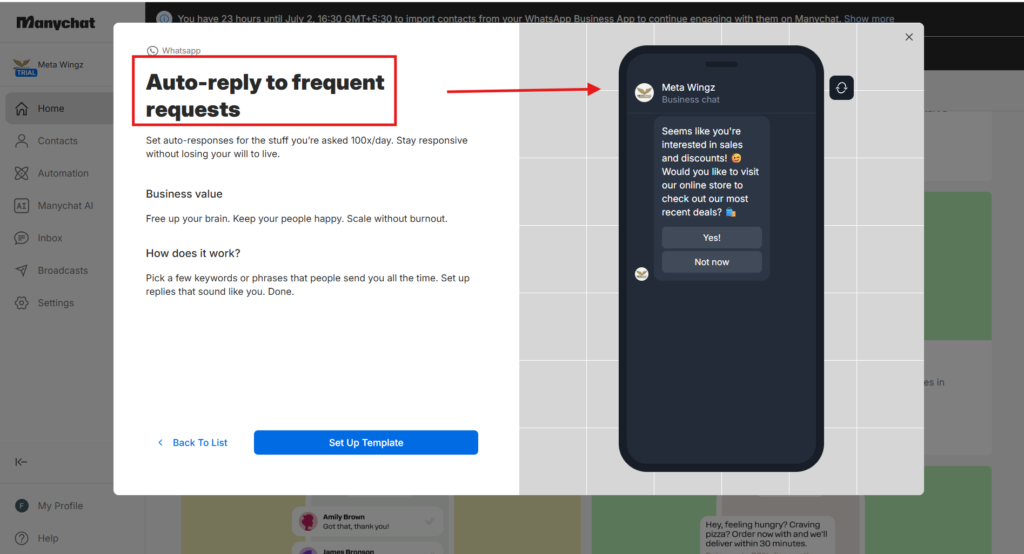
If you build a re-engagement flow that sends a follow-up the next day and haven’t set up a template for it, that message won’t go out. There’s no workaround inside Manychat — you need the template approved by Meta before the flow runs, not after.
“WhatsApp’s 24-hour session window means free-form messages stop working once a customer goes quiet — only Meta-approved templates can restart the conversation.“
Businesses leaning on visual confirmations should plan a workaround before building the rest of the flow around it — this is exactly the kind of limitation Comment-to-DM mechanic runs into on a different channel, so it’s worth checking both before assuming either one covers every use case.
Why Does Manychat WhatsApp API 2026 Require Facebook Business Verification WhatsApp Setup Before Sending Messages?
Facebook Business verification WhatsApp setup is a Meta requirement, not a Manychat one — anyone using the Manychat WhatsApp API 2026 needs a verified Facebook Business Manager account before any message can send.
I learned this the hard way by assuming WhatsApp would connect the same way Instagram did — flip a switch, go live. It didn’t. Manychat showed WhatsApp as available on my plan, but nothing would actually send until Meta finished verifying my business, a step that lives entirely outside Manychat’s own dashboard. Verification typically takes a few days to clear, and there’s no way to speed it up from inside Manychat — the review happens entirely on Meta’s side. Digging into why mine stalled, I realized this wasn’t a Manychat limitation at all — it’s Meta’s own rule for any tool that touches the WhatsApp Business API.
“Facebook Business Manager verification is required before WhatsApp Business API access activates.”
Start this step the day you decide to use WhatsApp, not the week you planned to launch. It’s the single most common reason setups stall, and it has nothing to do with anything Manychat controls.
What Happens If Your WhatsApp Message Template Approval Gets Rejected By Meta?
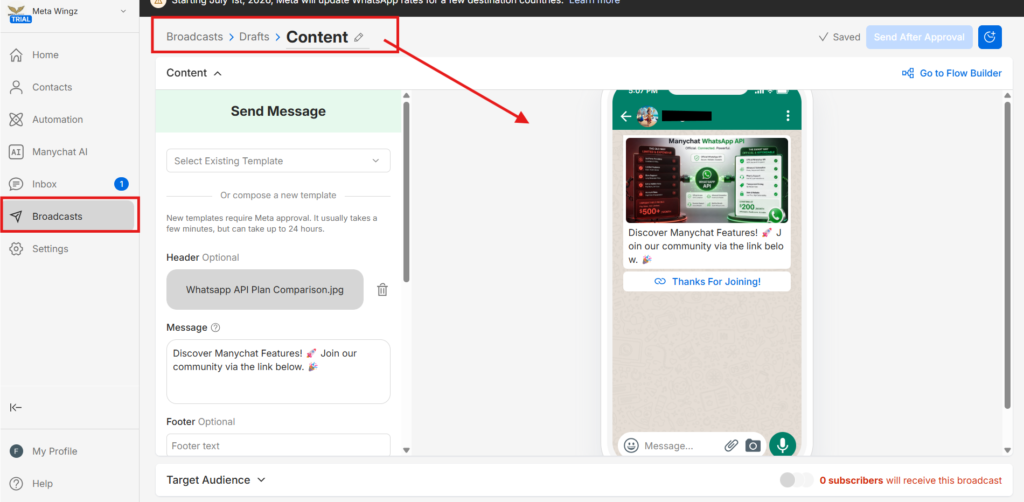
Your outbound message through the Manychat WhatsApp API 2026 simply can’t send until WhatsApp message template approval comes through on a replacement — Meta requires every template used for a first message to a new contact to be pre-approved before it goes out.
A rejected template means that specific flow stays blocked, not your whole account. You edit the wording, resubmit, and wait for another round of WhatsApp message template approval — there’s no manual override and no way to push a rejected template through by contacting support faster.
“WhatsApp message template approval from Meta is required before any template can reach a new contact for the first time.“
Submitting templates early, before you need them live, avoids the scramble AI Step mechanic explainer users sometimes hit when they build an entire flow around a template that hasn’t cleared review yet.
WhatsApp Business API Messaging Tiers: How Many WhatsApp Messages Can You Send Per Day Through Manychat?
Manychat’s WhatsApp API 2026 daily messaging limit depends on WhatsApp Business API messaging tiers your account’s messaging tier, not your Manychat plan — Meta caps unique contacts reached at 1,000, 10,000, 100,000, or unlimited per 24 hours, based on your number’s quality rating and sending history.
New numbers start at the lowest tier and move up automatically as they send cleanly over time. None of this applies to replies you send within 24 hours of a customer messaging you first — that window is unrestricted regardless of tier.
“Meta’s WhatsApp messaging tiers scale from 1,000 to unlimited unique contacts per 24 hours based on account quality.”
WhatsApp messaging-tiers explainer covers how quality rating actually gets calculated, which matters more for scaling past the first tier than anything inside Manychat’s own settings.
Manychat’s WhatsApp API 2026 earns its place if you’re already running Instagram or Messenger automation and want one platform instead of three. The $29 entry point is fair, and the visual flow builder genuinely replaces what would otherwise be custom API code.
Buy the Manychat WhatsApp API 2026 if you need WhatsApp automation alongside channels you already run on Manychat, you can budget for Meta’s separate fees, and you’re willing to build your template library before the flows go live. Skip it if you’re only messaging a handful of customers manually — the setup overhead of verification, template approval, and the 24-hour session window rule isn’t worth it at low volume.
Start with the Pro plan, get Facebook Business verification moving on day one, and submit your first template before you need it live.
Q1: Does Manychat’s WhatsApp API 2026 really cost $200 a month?
No — that’s a myth circulating on Manychat’s own community forum. WhatsApp Business API pricing 2026 for Manychat, including its API functionality, access, is available starting on the Pro plan at $29/month, not a $200-equivalent tier. The confusion likely traces back to older forum posts from before the 2026 pricing restructure. What actually adds cost is Meta’s separate per-template messaging fees, which stack on top of whatever Manychat plan you’re on.
Q2: What plan do I need for Manychat’s WhatsApp API 2026?
You need at least the Pro plan, starting at $29/month, to access the Manychat WhatsApp API 2026. WhatsApp as a channel — and the API access that comes with it — isn’t included on Manychat’s Free or Essential plans at all. Pro also includes 2,500 contacts and up to three inbox seats. If you only need Instagram or Messenger automation, Essential at $17/month covers that without the WhatsApp upgrade.
Q3: Can I use my existing WhatsApp number with Manychat?
Yes, you can connect a number you already use for WhatsApp Business. During setup, Manychat asks whether you have an existing number or need a new one provisioned through the platform. If you bring your own, it still needs to run on Meta’s WhatsApp Business Platform and pass Facebook Business verification Whatsaapp Setup before messages can actually send.
Q4: What happens after 24 hours if a customer stops replying on WhatsApp?
Once 24 hours pass without an inbound message from the customer, Manychat WhatsApp API 2026 can no longer send free-form messages to that contact — this is WhatsApp’s session window rule enforced at the Meta platform level, not a Manychat-specific restriction. The only messages that can go out after the window closes are pre-approved Meta templates. If your flow includes a next-day follow-up, you need a template submitted and approved before that step runs — you can’t bypass it from inside Manychat.
Q5: Do I need Facebook Business verification to use Manychat’s WhatsApp API?
Yes, Facebook Business verification through Meta is required before WhatsApp API access works. This isn’t a Manychat requirement — it’s Meta’s own rule for any business sending messages through the WhatsApp Business Platform. Verification confirms your business is legitimate and usually takes a few days. Skipping or rushing this step is the most common reason people get stuck mid-setup.
Q6: How many people can I message with Manychat’s WhatsApp API 2026 per day?
Your Manychat WhatsApp API 2026 daily messaging limit depends on your messaging tier, not your Manychat plan. Meta sets four tiers: 1,000 unique contacts per 24 hours at Tier 1, scaling up to unlimited at Tier 4. New numbers start at Tier 1 and move up automatically based on quality rating and sending history, so your daily limit grows over time rather than being fixed from day one.
Q7: Does Manychat charge extra on top of Meta’s WhatsApp fees?
Yes — running the Manychat WhatsApp API means your Manychat subscription and Meta’s WhatsApp fees arrive as two separate bills. Manychat charges for the plan tier and contact volume, while Meta separately charges per template message based on the recipient’s country and message category. Most people budgeting for Manychat only plan around the subscription price and get surprised when Meta’s invoice shows up the following month.
Q8: Is Manychat’s WhatsApp API 2026 the same as the regular WhatsApp Business app?
No, they’re different products entirely. The free WhatsApp Business app is a standalone tool for one person managing chats manually. Manychat connects through the separate WhatsApp Business Platform (the API), built for automation, multiple team members, and Meta-approved message templates — but it requires Business verification and a paid Manychat plan that the regular app never asks for.
Sangeetha Vishnu is a Digital Product Reviewer and Affiliate Marketer with 4 years of experience exploring affiliate marketing, digital products, AI tools, and software across multiple platforms and affiliate programs.
I research, purchase, and test the products I review before sharing my honest experience. My goal is to help entrepreneurs, marketers, creators, and beginners understand what a product actually does, who it’s for, and whether it’s worth investing in.
I also share practical insights on affiliate marketing, AI tools, SEO, and online business. My guiding principle is simple: “Authority, Built On Clarity.” I believe honest reviews and transparent recommendations build lasting trust.